
How-To Guides
Independent, in-depth how-to guides from the vpnrank.io editorial team — tested guides that lead with the content, not a sales pitch.

How-To Guides
How to Set Up a VPN on Any Device: The Complete 2026 Walkthrough
Installing a VPN takes about three minutes on a phone or laptop, and there's a method for every other device too. Here's exactly how to set one up on everything you own — and how to check it's working.
Martín Rossi · Jun 26, 2026
How-To Guides
How to Change Your Netflix Region With a VPN (and Actually Make It Stick)
Switching Netflix regions is a five-minute job once you understand the two things that actually trip people up: stale cached location data and the proxy error. Here is the full walkthrough, the libraries worth visiting, and the troubleshooting that works in 2026.
Diego Pereyra · Jul 7, 2026
How-To Guides
How to Fix the Netflix Proxy Error (M7111-5059 / F7111-5059): The Complete 2026 Troubleshooting Guide
The Netflix proxy error means Netflix thinks your connection is hiding your real location — and it often fires even when you're not deliberately using a VPN. Here's why it happens and every fix, in the order most likely to work, for every device.
Martín Rossi · Jul 7, 2026

How-To Guides
How to Watch Sky Sports and the Premier League From Abroad: The Complete Guide
The Premier League is scattered across Sky Sports, TNT Sports, NOW and BBC highlights in the UK — and locked to your home country the moment you travel. Here is the full map of who shows what, why the Saturday 3pm blackout still exists, and how to keep your feeds working abroad.
Martín Rossi · Jun 30, 2026
How-To Guides
How to Watch US Netflix From Abroad: The Complete 2026 Guide
The US Netflix library is the one everyone travels for — but the reasons it looks the way it does are stranger than most people assume, and reaching it from abroad takes more than flipping a switch. Here is the complete, device-by-device walkthrough.
Diego Pereyra · Jul 1, 2026
How-To Guides
How to Set Up a VPN on Any Smart TV: The Complete 2026 Method Guide
Some Smart TVs run a VPN natively; most do not. This guide walks through every method that actually works in 2026 — native apps on Android/Google TV and Fire TV, router-level VPNs, Smart DNS, PC connection sharing and casting — with exact steps per platform and the honest trade-offs of each.
Diego Pereyra · Jul 7, 2026
How-To Guides
How to Watch BBC iPlayer From Abroad: The Complete 2026 Guide
BBC iPlayer blocks you the moment you leave the UK. Here is the honest, exhaustive guide to getting it back: account setup, the TV Licence question, which UK server actually works, and device-by-device fixes for the dreaded "not available in your area" error.
Lucía Fernández · Jul 1, 2026
How-To Guides
VPN Won't Connect? 9 Fixes That Actually Work
Most VPN connection failures come down to a handful of causes: an overloaded server, a blocked protocol, a firewall, or a clock that's out of sync. Here are nine concrete fixes, in the order a technician would actually try them.
Diego Pereyra · Oct 8, 2026
How-To Guides
How to Test If Your VPN Is Actually Working: IP, DNS, WebRTC and Kill-Switch Checks
A connected icon doesn't prove your VPN is doing its job. Here are the four tests that actually reveal whether your real IP, DNS queries or browser are leaking — and exactly how to read the results.
Diego Pereyra · Jul 3, 2026

How-To Guides
How to Get Cheaper Flights and Hotels With a VPN — and When It Actually Works
Everyone claims a VPN slashes travel prices. The evidence says something more interesting: airfares barely move, hotels shift on specific properties, and car rentals show gaps up to 85%. Here's how point-of-sale pricing really works, plus a rigorous method to test your own booking.
Martín Rossi · Jul 19, 2026

How-To Guides
Does a VPN Slow Down Your Internet? The Real Numbers — and 9 Fixes That Actually Work
Yes, a VPN slows your internet, and how much depends on your line and route. In our Q3 2026 benchmark, 8 VPNs delivered 415–478 Mbps on 1 Gbps fiber (42–48%), nearby servers on 200–300 Mbps lines kept 80–93%, and long or filtered routes kept 55–65%; an external 2026 study of 30 VPNs averaged 20.67% loss. Here's why, and nine fixes ranked by impact.
Martín Rossi · Oct 7, 2026

How-To Guides
How Regional Pricing Works — And Why Cheaper YouTube Premium and Spotify Are Harder Than They Look in 2026
Regional pricing means the same subscription can cost 85% less in one country than another. Here is how it works, which countries are actually cheapest in 2026, and why a VPN alone rarely gets you there anymore.
Diego Pereyra · Jul 4, 2026

How-To Guides
How to Set Up a VPN on Your Router: A Plain-English Walkthrough
You need a router whose firmware has a VPN client, or one sold with the VPN inside. The exact menu paths for ASUS, GL.iNet, TP-Link, OpenWrt and DD-WRT, where nine VPNs keep their router files, vendor speed figures, and the fixes for double NAT, DNS leaks and MTU.
Diego Pereyra · Oct 5, 2026
How-To Guides
Do You Need a VPN for Gaming? An Honest Guide to Ping, DDoS, and Consoles
A VPN won't magically boost your FPS, but it does solve real gaming problems: DDoS protection, IP masking, throttling relief, and region access. Here's the honest breakdown — including why consoles need a router.
Diego Pereyra · Jul 5, 2026
How-To Guides
Is It Safe to Torrent With a VPN? A Plain-English Guide to P2P, Kill Switches and No-Logs
BitTorrent broadcasts your IP address to every peer in a swarm by design. Here is how a VPN changes that, why the kill switch and no-logs policy are the two features that actually matter, and how to confirm your setup isn't leaking.
Diego Pereyra · Jul 6, 2026

How-To Guides
How to Set Up a VPN on an Amazon Fire TV Stick (2026 Guide)
Installing a VPN on a Fire TV Stick takes about five minutes if your device runs Fire OS — but the newest 2026 sticks run Vega OS and behave differently. Here's the full walkthrough, sideloading, best settings, and buffering fixes.
Diego Pereyra · Jul 6, 2026
How-To Guides
How to Set Up a VPN on an iPhone (iOS): The Complete Step-by-Step Guide
To set up a VPN on iPhone, install the provider's app, tap Connect and Allow the VPN configuration; every VPN then lives in Settings › General › VPN & Device Management (iOS 27). Here are the exact settings, the built-in IKEv2/IPsec/L2TP client, Connect On Demand vs Always On, whether you need a VPN next to iCloud Private Relay, battery use, and fixes for disconnects.
Diego Pereyra · Oct 7, 2026

How-To Guides
How to Set Up a VPN on Android (Properly): Always-On, Kill Switch and Split Tunneling
Install the app, tap Connect, accept Android's Connection request — then the settings that matter: Always-on VPN and Block connections without VPN (with exact Pixel and Samsung paths), why the built-in client is IKEv2-only since Android 12, what each of nine providers calls its kill switch and split tunnel, and what every Android VPN error message points at.
Diego Pereyra · Oct 5, 2026

How-To Guides
How to Set Up a VPN on Windows 11: App vs Manual, Protocols, Kill Switch and Fixes
There are two ways to get a VPN running on Windows 11, and they are not equal. This guide gives the exact Settings path and field names, the VPN types Windows offers and what Microsoft has deprecated, how nine providers' Windows apps compare on ARM64 support and kill-switch names, and the documented fix for each setup failure.
Diego Pereyra · Oct 5, 2026

How-To Guides
How to Set Up a VPN on a Mac: App Install, Manual Config, Protocols and Leak Testing
Two ways to run a VPN on a Mac — the one-click app and a hand-built connection in System Settings — plus how to choose a protocol, turn on the kill switch, and confirm your real IP and DNS are never leaking.
Diego Pereyra · Jul 10, 2026
How-To Guides
How to Set Up a VPN on Apple TV: A Step-by-Step Guide
A practical, step-by-step guide to setting up a VPN on Apple TV: installing a native app on Apple TV 4K (tvOS 17+), router and Mac-sharing methods for older boxes, choosing a server, and verifying streaming works without leaks.
Diego Pereyra · Jul 12, 2026
How-To Guides
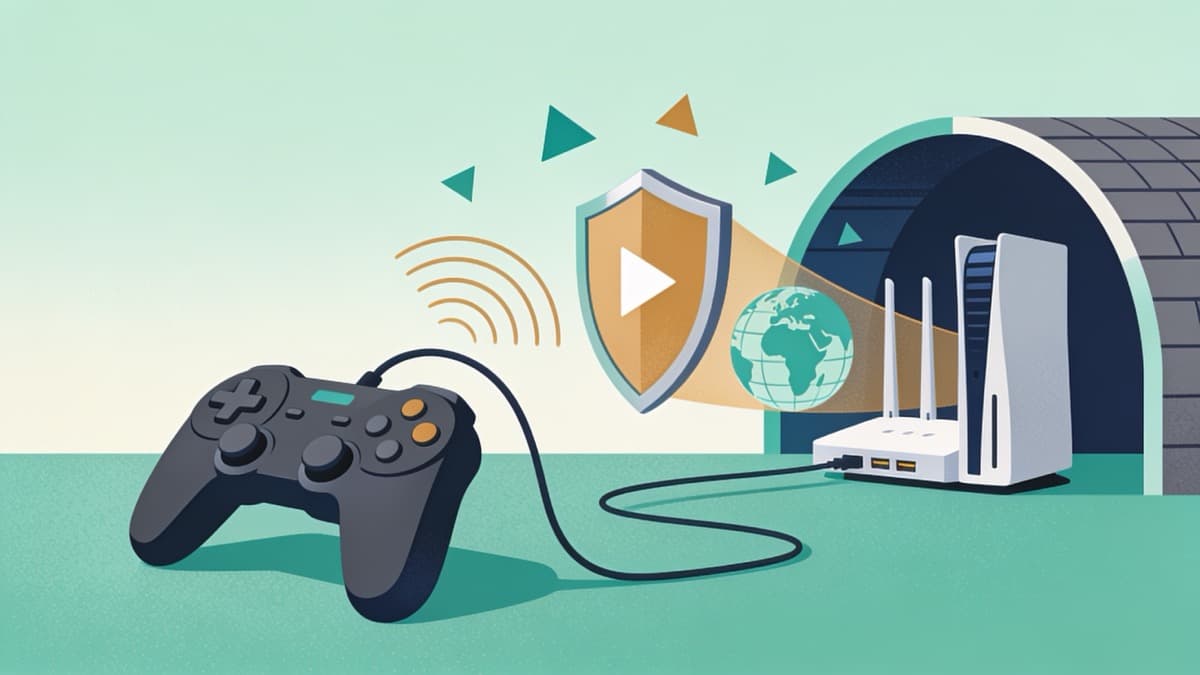
How to Set Up a VPN on a PS5 or Xbox (Two Methods That Actually Work)
Sony and Microsoft don't let you install a VPN app on their consoles. But you can still route PS5 or Xbox traffic through a VPN using your router or a spare Windows PC or Mac. Here's exactly how each method works, and why gamers bother.
Diego Pereyra · Jul 12, 2026

How-To Guides
How to Set Up a VPN on Linux: Native Apps, OpenVPN, WireGuard and a Kill Switch
A practical, distro-agnostic walkthrough of every way to run a VPN on Linux — native GUI apps, OpenVPN and WireGuard config files, a firewall kill switch, and DNS-leak checks — for Ubuntu, Debian, Fedora and Mint.
Diego Pereyra · Jul 13, 2026

How-To Guides
How to Set Up a VPN on a Chromebook: The Three Routes, Explained
A Chromebook can run a VPN three ways, and they are not interchangeable. The Android app covers the whole device, an extension covers only Chrome, and the built-in client is the only whole-device option on Chromebooks without the Play Store.
Diego Pereyra · Oct 5, 2026
How-To Guides
How to Set Up a VPN on Kodi: The Two Routes That Actually Work
Kodi has no VPN of its own, so the VPN goes on the device it runs on. Exact paths for Fire TV, Android TV, desktop, LibreELEC and OSMC, the Fire TV sticks that can't run Kodi, what nine providers document, and fixes for Kodi's VPN errors.
Diego Pereyra · Oct 5, 2026

How-To Guides
How to Set Up a VPN on Roku: The Two Routes That Actually Work
You cannot install a VPN on a Roku. There is no app store category for it, and the developer mode that exists only loads channels you build yourself — inside a sandbox that is never allowed to touch the network stack. What you can do is put the VPN one layer upstream — on the router or on a computer sharing its connection — so the Roku inherits the tunnel without ever knowing it exists.
Diego Pereyra · Sep 30, 2026

How-To Guides
How to Choose the Right VPN Server Location
Most VPN apps open on a world map and expect you to know what to do with it. In practice there are only two questions that matter — do I need speed, or do I need a particular country? — and a handful of details that decide the rest.
Martín Rossi · Jul 27, 2026