Is It Safe to Torrent With a VPN? A Plain-English Guide to P2P, Kill Switches and No-Logs
What actually protects you when you use BitTorrent, why a swarm broadcasts your IP by design, and how to check your setup isn't quietly leaking.

vpnrank.io is reader-supported: we may earn a commission if you buy through links in this article. This never affects our rankings.
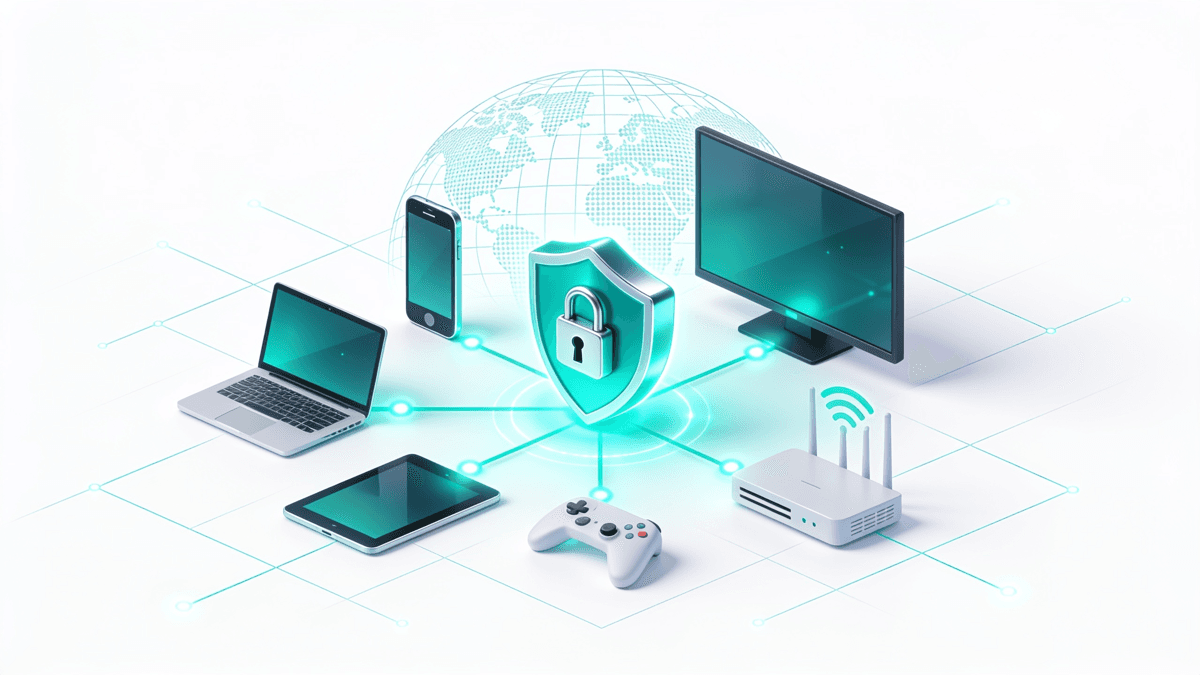
Yes, torrenting through a reputable VPN is generally safe for your privacy, but only because BitTorrent is startlingly public by default. The protocol broadcasts your IP address to every peer in a swarm, so the VPN's job is to substitute a shared server address, encrypt the traffic, and never drop the connection unnoticed.
Why BitTorrent exposes you in the first place
Most people picture torrenting as a private download. It is closer to the opposite. BitTorrent is a peer-coordination protocol: to trade pieces of a file efficiently, every participant in a swarm needs a way to reach every other participant directly, and that requires an address to connect back to.
When you join a swarm, a tracker (or the decentralised DHT network) hands out the list of peers, and your client announces itself so others can request pieces from you. That announcement includes your public IP address. There is no encryption of your identity built into the protocol itself. In practical terms:
- Every peer you connect to can see the IP address you appear to be coming from.
- Rights-enforcement companies routinely join popular swarms specifically to log those addresses.
- Your internet provider can see that BitTorrent traffic is flowing, even if it cannot always see the exact files.
A VPN changes what everyone else sees. Instead of your home IP, the swarm records the VPN server's shared address, which is used by many people at once. That is the entire privacy premise, and it is why the quality of the VPN, not just the presence of one, decides whether you are actually protected.
Legal versus safe: two different questions
It is worth separating two ideas that get blurred together constantly. "Is torrenting legal?" and "Is my connection private?" are unrelated questions, and a VPN only answers the second one. Torrenting as a technology is completely lawful and used every day for legitimate distribution.
The BitTorrent protocol moves Linux distributions, open-source software, game patches, scientific datasets and large public-domain archives. None of that is a grey area. What crosses the line into copyright infringement is sharing material you have no right to distribute, and in countries like the US, UK, France and Germany that carries real civil and sometimes criminal penalties. A VPN does not change the legality of what you download; it only changes who can see your address.
This guide is about protecting your privacy and connection integrity when you use P2P for legitimate purposes. It is not a workaround for infringement, and no VPN erases legal responsibility for what you actually do. With that boundary clear, the technical protections are worth understanding properly.
The kill switch: the feature that matters most
If you keep only one thing from this article, keep this: a kill switch is not optional for torrenting. VPN connections drop. Servers reboot, Wi-Fi flickers, your laptop wakes from sleep, and in that gap of a few seconds your traffic can fall back to your normal, unprotected connection without any warning on screen. Our kill switch explainer shows what each provider's version actually blocks, platform by platform.
During that window, your torrent client keeps running. It re-announces to the swarm, and it does so from your real IP address, which every peer and every monitoring service in that swarm can log. A single dropout is enough to expose you. A kill switch closes this hole by blocking all internet traffic the instant the VPN tunnel fails, and only restoring it once the encrypted connection is back.
- System-wide kill switches cut the entire device's internet if the tunnel drops.
- App-level kill switches (sometimes called app-kill or split-based) can be set to close only your torrent client, which is the safest configuration for P2P.
- Always test it once: start a download, disconnect the VPN manually, and confirm the transfer stalls instead of continuing.
Because torrents run for hours or days unattended, the kill switch is doing its most important work exactly when you are not watching the screen. It is worth understanding the two failure modes it guards against: a soft drop, where the tunnel silently dies but the network stays up, and a hard drop, where the whole connection blips and reconnects. A well-built kill switch handles both, holding traffic hostage until the encrypted tunnel is verifiably back rather than merely reachable. Any VPN you use for P2P should have one enabled before you start.
Why a no-logs policy is the other half of the equation
A kill switch protects you from the swarm. A no-logs policy protects you from your own VPN provider. Because all your traffic is routed through that company's servers, they sit in the one position to see what you are doing, so their record-keeping habits become your privacy exposure.
A genuine no-logs VPN does not store records that could tie a specific connection or session back to you. The credibility of that claim rests on more than a marketing line, and this is where you should look for evidence rather than promises:
- An independent audit of the no-logs policy by a reputable third-party firm.
- RAM-only servers, which wipe all data on every reboot and cannot retain long-term logs by design.
- A track record, ideally cases where the provider was legally compelled to hand over data and had nothing usable to give.
Two distinctions are worth keeping straight here. Connection logs (timestamps, the amount of data moved, which server you touched) are far more revealing than the generic "we may keep aggregate diagnostics" line most policies include, so read for what is actually retained rather than the headline claim. And the jurisdiction a provider is based in shapes what it can be compelled to hand over. If you want the deeper version of this argument, our explainer on what a no-logs VPN really guarantees walks through what auditors actually check and where the loopholes hide. For torrenting specifically, treat an unaudited "no-logs" claim as unproven rather than trustworthy. This is also the single biggest reason to be wary of free services: a free VPN has to make money somewhere, and logging or selling activity data is a common answer.
The leaks that undo everything else
You can have a perfect kill switch and an audited no-logs provider and still leak your real IP through a side channel. This is the most common way careful torrenters get caught out, because the VPN client itself looks connected while a separate part of the system quietly reveals the truth.
Three leaks matter most. A DNS leak sends your domain lookups to your ISP's resolvers instead of through the tunnel, exposing what you are connecting to. A WebRTC leak, primarily a browser issue, can hand your real public IP to any page that asks for it via a STUN request, regardless of whether your download traffic is correctly tunnelled. And an IPv6 leak happens when a VPN only tunnels older IPv4 traffic while your IPv6 traffic slips out over the native ISP connection, quietly broadcasting your real IPv6 address to the swarm.
- Read our plain-English breakdowns of the DNS leak and the WebRTC leak to understand exactly what each one reveals.
- For IPv6, either enable your VPN's IPv6 leak protection or disable IPv6 at the operating-system level, then confirm with a leak test that no real IPv6 address is showing.
- Use built-in leak protection (most quality VPNs enable it by default) and confirm it with an independent leak-test tool before a big session.
- Bind your torrent client to the VPN's network interface where the client supports it, so it simply refuses to send traffic outside the tunnel.
The uncomfortable finding from real-world testing is that a share of users still have at least one active leak after they believe they are set up, usually from an unpatched browser channel, a DNS fallback or unprotected IPv6. Verifying is a two-minute job that is worth doing, and it is worth repeating after any big client or operating-system update, since those can silently reset network settings.
P2P servers and which providers officially allow torrenting
Not every VPN server, or every VPN, welcomes torrent traffic. Some networks restrict P2P to specific optimised servers, some allow it everywhere, and a few forbid it entirely to keep their networks clean. Using the right server is what keeps your downloads from being throttled or silently blocked.
Based on providers' own documentation and recent testing, the current picture looks like this:
- ExpressVPN: every server is P2P-ready, so you simply connect to the nearest one with no special selection required.
- NordVPN: has folded P2P support into its standard network, retiring the separate dedicated-P2P category so torrent traffic is handled across the general server list.
- Surfshark and Private Internet Access: both allow P2P on all servers.
- Proton VPN: routes torrent traffic through clearly labelled P2P servers on its paid plans (its free tier blocks P2P) and also offers port forwarding.
Where a provider still uses dedicated P2P labels, connecting to a non-P2P location may throttle or drop your torrent traffic, so check the app's server labels first. Our regularly updated shortlist of the best VPNs notes which providers allow P2P and on which servers, so you are not guessing from a marketing page.
Port forwarding: an advanced option for seeders
Most VPNs place you behind a NAT firewall, which is fine for downloading but poor for seeding, because peers cannot open a direct connection back to you. Port forwarding re-opens a single controlled doorway through the VPN's IP so the swarm can reach you, which matters if you care about upload ratios on private trackers.
The trade-off is that fewer providers still offer it. A handful of privacy-focused services keep port forwarding available, and the performance difference for seeding can be dramatic. A couple of practical notes:
- 1Port forwarding chiefly helps upload/seeding performance and connectivity to a wider set of peers; it does little for pure download-only use.
- 2It is an advanced feature that can slightly widen your exposure surface, so most casual users do not need it and are fine leaving it off.
- 3Several large mainstream VPNs have never offered it, and a few well-known privacy providers removed it after their forwarded ports were abused for spam and malware, so availability changes over time.
- 4One easy mistake regardless of port forwarding: never start a torrent before the VPN is fully connected. Close the client, connect the VPN, then re-add the torrents, so the very first announce goes out through the tunnel.
If you are a download-only user, you can safely ignore port forwarding entirely. It is a tool for ratio-conscious seeders, not a requirement for private, safe torrenting.
Speed: what a VPN costs you and how to claw it back
Encryption and the detour through a VPN server always add some overhead, so a VPN will rarely make torrents faster in a vacuum. The interesting exception is throttling: if your ISP deliberately slows recognised BitTorrent traffic, a VPN can actually improve your real-world speed by hiding what kind of traffic it is.
To keep the overhead small, the usual levers apply, and most of them are the same tuning you would use for any bandwidth-heavy task:
- Pick a nearby P2P server; distance is the single biggest factor in throughput.
- Prefer a modern, lightweight protocol (WireGuard-based options are typically the fastest).
- Make sure you are on a P2P-optimised server rather than one that is quietly rate-limiting torrent traffic.
If you want to see the real cost on your own connection, our VPN speed test shows how much overhead different providers add, and our VPN price index tracks what those plans actually cost month to month.
Want a provider that ticks every box for P2P out of the box, with a full kill switch, an audited no-logs policy, and torrent-ready servers everywhere?
See our top-ranked VPNs →A simple pre-torrent checklist
Pulling the pieces together, safe torrenting is less about one magic setting and more about a short routine you run once. Before you start a session, confirm these are all true, and you have closed the gaps that trip up most people.
- 1Kill switch enabled and tested, ideally set to close your torrent client if the tunnel drops.
- 2An independently audited no-logs provider, preferably running RAM-only servers.
- 3DNS, WebRTC and IPv6 leak protection on, and verified with a leak test.
- 4Connected to a P2P-approved server, close to you for speed.
- 5VPN connected before you open the torrent client, not after.
- 6You are only sharing content you have the legal right to distribute.
Handled once, this becomes second nature. The VPN quietly does the heavy lifting from there: swapping your visible IP, encrypting the traffic your ISP can see, and holding the line if the connection ever wobbles. For a broader look at protecting everyday activity, from streaming to general privacy, our guide to choosing a privacy-focused VPN covers the same principles beyond P2P.
Frequently asked questions
Is it safe to torrent with a VPN?
For privacy, yes, provided the VPN has a working kill switch, an audited no-logs policy, and leak protection. BitTorrent broadcasts your IP to every peer by design, so the VPN's role is to replace that address, encrypt your traffic, and never drop unnoticed. Safety for your connection is separate from the legality of what you download.
Why is a kill switch so important for torrenting?
Torrents run for hours, often unattended, and VPN connections occasionally drop. Without a kill switch, your client keeps announcing to the swarm from your real IP during that gap, exposing you to every peer and monitoring service. A kill switch blocks all traffic the instant the tunnel fails, so a brief dropout can no longer leak your address.
Does a no-logs policy actually protect me?
It protects you from your own provider, who can see traffic passing through their servers. A genuine no-logs VPN keeps no records that tie a session to you. Look for proof rather than promises: an independent audit, RAM-only servers that wipe on reboot, and ideally a history of having no usable data to hand over when compelled.
Which VPNs officially allow P2P and on which servers?
By their own documentation, ExpressVPN allows P2P on every server, while Surfshark and Private Internet Access permit it on all servers too. NordVPN has folded P2P into its standard network, and Proton VPN routes torrents through labelled P2P servers on paid plans. Where dedicated P2P labels still exist, connecting elsewhere can throttle or block torrent traffic.
Do I need port forwarding to torrent safely?
No. Port forwarding mainly improves seeding and upload connectivity by letting peers reach you directly through the VPN's IP, which matters for private-tracker ratios. For download-only use it does little, and it slightly widens your exposure. Most casual users can leave it off entirely and still torrent privately and safely.
Will a VPN slow down my torrents?
Usually a little, because encryption and the extra hop add overhead. The exception is ISP throttling: if your provider deliberately slows BitTorrent traffic, a VPN can hide the traffic type and improve real-world speed. To minimise the cost, pick a nearby P2P server and use a fast, modern protocol like WireGuard.
Can a VPN leak my real IP while torrenting?
Yes, through side channels even when the app looks connected. A DNS leak exposes your lookups to your ISP, a WebRTC leak can reveal your real public IP to any page that requests it, and an IPv6 leak can let IPv6 traffic bypass the tunnel. Enable leak protection, bind your client to the VPN interface if possible, and verify with an independent leak-test tool.
The best VPNs of 2026, ranked
Now you know how — here are the VPNs we recommend, independently tested and ranked for speed, streaming, privacy and value. Any of them works for everything in this guide.

ExpressVPN Ultra fast & secure. Great for privacy, downloads, and everyday browsing on all your devices. 24/7 live chat support.
ExpressVPN Ultra fast & secure. Great for privacy, downloads, and everyday browsing on all your devices. 24/7 live chat support.

IPVanish Fast speeds with unlimited device connections. Strong no-logs privacy and 24/7 live chat support. Great for families.

IPVanish Fast speeds with unlimited device connections. Strong no-logs privacy and 24/7 live chat support. Great for families.

NordVPN Excellent speeds with one of the largest server networks. Strong security features and easy-to-use apps. 24/7 live chat support.
NordVPN Excellent speeds with one of the largest server networks. Strong security features and easy-to-use apps. 24/7 live chat support.

Proton VPN Swiss-based VPN with strong privacy focus. Audited no-logs policy and open-source apps. Great for privacy-conscious users.
Proton VPN Swiss-based VPN with strong privacy focus. Audited no-logs policy and open-source apps. Great for privacy-conscious users.

CyberGhost Fast speeds and strong privacy tools. Simple apps, automatic WiFi protection, and 24/7 live chat support.
CyberGhost Fast speeds and strong privacy tools. Simple apps, automatic WiFi protection, and 24/7 live chat support.

TotalVPN Affordable VPN with strong privacy and reliable speeds. Easy-to-use apps for all major devices. No-logs policy.
TotalVPN Affordable VPN with strong privacy and reliable speeds. Easy-to-use apps for all major devices. No-logs policy.

Private Internet Access High-speed VPN with a large server network and advanced security settings. Ad blocker included and 24/7 live chat support.
Private Internet Access High-speed VPN with a large server network and advanced security settings. Ad blocker included and 24/7 live chat support.

Surfshark Unlimited device connections at a budget-friendly price. Includes ad blocker and strong privacy tools. Great value for money.
Surfshark Unlimited device connections at a budget-friendly price. Includes ad blocker and strong privacy tools. Great value for money.
Rankings are based on our independent testing methodology. Each guide applies the criteria described on that page, including relevant performance, privacy, product features, and value data. We may earn affiliate commissions from links on this page, which helps fund our testing — this does not influence our rankings.