Do You Need a VPN at Home? The Honest Threat Model
What your ISP can actually see, what HTTPS already protects, and the real reasons to run a VPN on your own network, minus the hype.

vpnrank.io is reader-supported: we may earn a commission if you buy through links in this article. This never affects our rankings.
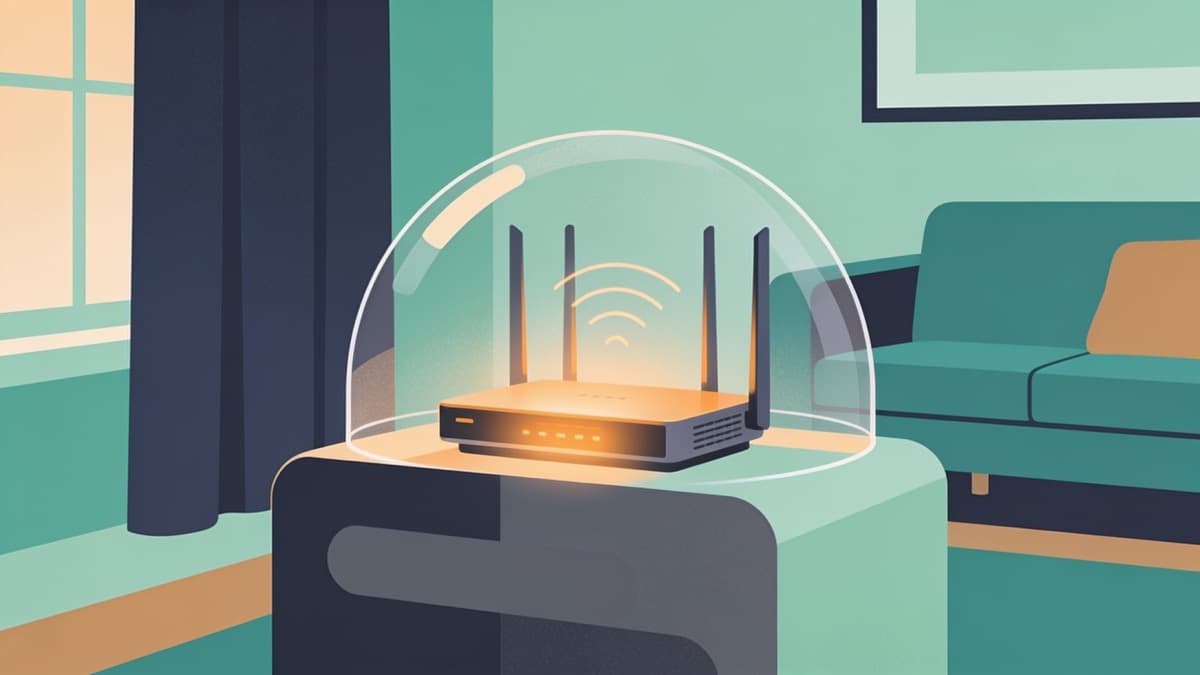
Short answer: you do not need a VPN at home the way most ads imply. HTTPS already encrypts the content of nearly everything you do, so passwords and pages stay private on their own. But a handful of genuine, specific reasons to run one do exist, alongside just as many overblown ones. This is the honest threat model on your own network.
What your ISP can actually see (and log)
Your internet provider sits between every device in your house and the wider web, so it sees more than you might guess but far less than the scare stories suggest. The right mental image is a postal service: the ISP is the postman who can read the envelope and the delivery log, but not the letter sealed inside.
With modern HTTPS covering more than 95 percent of web traffic in 2026, the contents of your sessions are encrypted end to end. Your ISP cannot read the pages you view, the messages you send, your passwords, or the videos you stream. What it can still observe is the metadata around those connections, and metadata alone can be surprisingly revealing.
- The domains you connect to. Even over HTTPS, the DNS lookup and the server name (SNI) in the connection handshake usually reveal that you visited, say, a medical forum or a bank, just not the specific page.
- Timing and volume. When you are online, how much data you move, and the rhythm of it, which can hint at streaming, large downloads, or a video call.
- Your device's public identity. Your IP address ties this activity back to your account and, broadly, your location.
- Protocol fingerprints. The type of traffic, such as web browsing versus BitTorrent versus gaming, which providers detect through deep packet inspection.
None of these items is the letter itself, but stacked together they sketch a detailed portrait: which sites a household leans on, roughly when people are home, and what they tend to do online. A pattern of late-night visits to a single support forum, or a nightly spike of streaming traffic, tells a story even though not one page was ever readable.
If you use your router's default DNS, your ISP typically holds a timestamped log of every domain your household looked up, HTTPS or not. In several countries providers are legally required to retain this data for months, and in the United States they have been permitted to sell aggregated browsing data since Congress repealed the FCC's broadband privacy rules in 2017. That is the real, unglamorous privacy issue, and it is the one a VPN most directly addresses.
What HTTPS already covers for you
Before reaching for a VPN, it is worth being honest about how much heavy lifting HTTPS already does. The padlock in your address bar is not decoration. It means the connection between your device and the website is encrypted, and in 2026 the vast majority of the web enforces it by default, with browsers actively warning you away from the rare pages that still do not.
That encryption neutralises the classic threats people cite when they say everyone needs a VPN. On your home network specifically, several of those risks were already handled before you installed anything, which is why so much of the standard sales pitch quietly stops applying the moment you close your own front door.
- Password and payment interception. HTTPS encrypts login forms and checkout pages, so a snooper on your line cannot lift your credentials in transit.
- Content reading by your ISP. Your provider sees that you connected to a site, not what you did there.
- Basic tampering. HTTPS also verifies you are talking to the genuine site, which blocks a whole class of injected-content and redirect attacks.
This is why the coffee-shop horror story is far weaker on your own Wi-Fi. Public networks carry a real residual risk from strangers sharing the connection, from fake hotspots, and from phishing portals that appear before encryption kicks in. Your locked home router, with a strong password and WPA2 or WPA3, exposes you to none of those. If your entire case for a home VPN is fear of hackers on the same network, HTTPS plus a decent router password has already closed most of that gap. You can dig deeper into the mechanics on our VPN privacy guide.
The gap HTTPS leaves: DNS and metadata
HTTPS protects the letter, but it does nothing about the envelope. Two leaks survive: the DNS lookups that translate a domain name into an address, and the server name your device announces when it opens a connection. Together these tell your ISP which sites you visit, even when it cannot see what you do on them.
There is good news here that rarely makes the marketing copy: you can close most of the DNS gap without a VPN at all. Encrypted DNS, delivered as DNS over HTTPS (DoH) or DNS over TLS (DoT), wraps those lookups so your provider can no longer read them. Support is built into Chrome, Firefox, Edge, and both major mobile operating systems, so turning it on is usually a matter of a few clicks rather than any new software.
How to close the DNS gap for free
If hiding which sites you visit from your ISP is your goal, this is the cheapest way to make real progress before spending anything. The steps take a couple of minutes and cost nothing, and they are worth doing even if you later add a VPN on top.
- 1Turn on secure DNS in your browser or OS settings, choosing a reputable resolver instead of your ISP's default.
- 2Confirm it is working, then check for a DNS leak to make sure requests are not quietly falling back to your provider.
- 3If you later add a VPN, verify there is no WebRTC leak exposing your real address through your browser.
Encrypted DNS still leaves the server-name fingerprint and your IP-based data volume visible, which is where a VPN goes further by hiding the SNI and swapping your address for the server's. But if hiding your browsing from your ISP is your only goal, secure DNS is a lighter, faster first step that solves a large slice of the problem for free, with almost no speed cost to weigh against it.
ISP throttling: a real, measurable reason
Some providers deliberately slow down specific kinds of traffic. This is not a myth. Using deep packet inspection, an ISP can identify streaming video, large file transfers, or peer-to-peer traffic by its protocol signature and then cap its speed, even when the data itself is encrypted. Torrent traffic in particular gets flagged with high accuracy by size and timing patterns alone.
If your 4K stream buffers only in the evenings, or one type of activity is reliably slower than everything else, throttling is a plausible culprit. Because a VPN wraps all your traffic in one uniform encrypted tunnel, your ISP can no longer tell streaming from browsing from downloading, which removes its ability to single out and slow one category. The catch is that the effect is limited to that targeting: a VPN cannot lift a general slowdown when the whole line is congested.
- A VPN can bypass throttling that targets a specific service or protocol, because everything looks the same from the outside.
- It cannot make you faster than your plan allows. The tunnel adds a small overhead, so on an un-throttled line you will usually see a minor speed cost, not a gain.
- The trade-off is worth measuring rather than assuming. Our explainer on whether a VPN slows down your internet covers what to expect, and you can benchmark your own connection with our VPN speed test.
The honest way to settle it is to test rather than guess. Run a speed test on your normal connection at a busy hour, note the number, then repeat it with a VPN active on a nearby server. If the throttled activity jumps back to normal, you have found real targeting worth bypassing; if nothing changes, the slowdown was congestion or your plan, and a VPN will not fix it.
Streaming and access from home
The most popular home reason to run a VPN has nothing to do with security at all. It is access: watching a catalogue, a live event, or a service that is geo-restricted where you live. Because a VPN routes your connection through a server elsewhere, sites see that server's location instead of yours.
This is a legitimate, everyday use, and it is honest to call it what it is rather than dressing it up as protection. If your motivation is unlocking libraries or catching a broadcast, that is the section of the story that applies to you, and it is entirely reasonable.
- Regional streaming catalogues. Different countries get different titles, and a VPN lets you check what is available elsewhere, as covered in our streaming VPN guide and service breakdowns for Netflix and BBC iPlayer.
- Live sport and events. Coverage rights are split by territory, which is why so many people set one up around fixtures like the 2026 World Cup.
- Whole-home coverage. Running the VPN on a router or an Android TV device extends it to gadgets that cannot install an app themselves.
Want the fastest option for streaming and everyday use at home? See our current top pick.
See our top-ranked VPNs →Torrenting and peer-to-peer
If you use peer-to-peer networks, a VPN stops being optional and becomes genuinely useful. The reason is structural: in a P2P swarm, every other participant can see your IP address directly, and your ISP can identify the traffic pattern even when the payload is encrypted. That is a level of exposure ordinary browsing never creates.
A VPN masks your address from other peers and hides the activity from your provider. This matters for privacy from copyright monitors and for avoiding the protocol-based throttling described earlier. As always, the honest framing is that a VPN changes who can see your activity, not that it makes any particular use legal where you are. Only use it for content you have the right to access, and prefer a provider that offers a kill switch so a dropped tunnel does not briefly expose your real address mid-transfer.
The trust trade-off nobody mentions in the ads
Here is the catch the marketing skips. A VPN does not make your traffic invisible; it moves the point of visibility. Your ISP can no longer see your browsing, but the VPN provider now sits in exactly that position. You are not eliminating trust, you are transferring it from a company you are billed by to a company you have chosen.
That makes the provider's honesty the whole ballgame. A cheap or free VPN funded by selling data is strictly worse than your ISP, because you gained nothing and simply handed the same view to a party with fewer obligations to you. This is why the only home VPNs worth running are ones with an independently audited no-logs policy and a track record to match.
- Look for independent audits of the no-logs claim, not just a promise on the homepage.
- Favour providers in privacy-friendly jurisdictions with a clean history around data requests.
- Be extremely wary of free VPNs, which we cover honestly in our free VPN guide.
If you decide the trade is worth it, our editors maintain a shortlist of providers that clear this bar in the best VPN rankings. Cross-check the pricing against our VPN price index so you are not overpaying for the same protection, since headline discounts and true renewal costs often diverge sharply between providers.
The honest verdict
Strip away the fear and a clear picture remains. Most people do not need a VPN at home for security, because HTTPS and a locked router already handle the threats that get quoted most. A VPN earns its place when your reasons are specific rather than vague, and it is worth being clear-eyed about which camp you fall into.
Run a VPN at home if you genuinely want one or more of the following:
- To stop your ISP from logging and potentially selling a record of every site your household visits.
- To bypass throttling of streaming, downloads, or peer-to-peer traffic.
- To access geo-restricted streaming catalogues or live events.
- To protect peer-to-peer activity from exposure to other peers and your provider.
You can safely skip it if your only worry is hackers on your own locked Wi-Fi, or if you simply want to hide browsing from your ISP and would rather flip on encrypted DNS for free. Whatever you decide, choose a provider you can actually trust with the visibility you are handing over, and treat any pitch that promises total invisibility as a red flag rather than a feature.
Frequently asked questions
Do I really need a VPN if I only browse at home?
For ordinary browsing on a locked home network, no. HTTPS already encrypts the contents of your sessions, so passwords, messages, and pages are safe from interception. A VPN becomes worthwhile only for specific goals: hiding your browsing history from your ISP, bypassing throttling, accessing geo-restricted content, or protecting peer-to-peer traffic.
What can my ISP see if every site uses HTTPS?
It can still see the domains you connect to through DNS lookups and the server name in the connection handshake, plus how much data you move and when. It cannot read the specific pages, messages, or credentials inside those encrypted connections. In short, it sees the envelope and the delivery log, not the letter.
Can a VPN stop ISP throttling?
Often, yes. Throttling relies on your ISP identifying a traffic type, such as streaming or torrents, through deep packet inspection. A VPN wraps everything in one uniform encrypted tunnel, so your provider can no longer tell those categories apart and cannot single one out to slow down. It will not, however, make you faster than your plan allows or lift a general congestion slowdown.
Is encrypted DNS enough instead of a VPN?
If your only goal is hiding which sites you visit from your ISP, encrypted DNS (DoH or DoT) solves a large part of that for free and with almost no speed cost. It does not hide your IP address, mask data volume, or change your apparent location, so it is not a substitute for a VPN when you also want geo-access or peer-to-peer privacy.
Does a VPN make me completely anonymous at home?
No. A VPN shifts visibility from your ISP to the VPN provider rather than removing it. The provider can see the traffic your ISP no longer can, so its no-logs policy and honesty matter enormously. Websites can also still identify you through logins, cookies, and browser fingerprinting. Treat any claim of total anonymity as a warning sign.
Will a VPN slow down my home internet?
Usually a little. Encrypting and routing your traffic through a remote server adds overhead, so on a connection that is not being throttled you will typically see a small speed cost rather than a gain. A quality provider on a nearby server keeps this minimal. It is best to benchmark your own line rather than assume a number.
The best VPNs of 2026, ranked
Now you know how — here are the VPNs we recommend, independently tested and ranked for speed, streaming, privacy and value. Any of them works for everything in this guide.

ExpressVPN Ultra fast & secure. Great for privacy, downloads, and everyday browsing on all your devices. 24/7 live chat support.
ExpressVPN Ultra fast & secure. Great for privacy, downloads, and everyday browsing on all your devices. 24/7 live chat support.

IPVanish Fast speeds with unlimited device connections. Strong no-logs privacy and 24/7 live chat support. Great for families.

IPVanish Fast speeds with unlimited device connections. Strong no-logs privacy and 24/7 live chat support. Great for families.

NordVPN Excellent speeds with one of the largest server networks. Strong security features and easy-to-use apps. 24/7 live chat support.
NordVPN Excellent speeds with one of the largest server networks. Strong security features and easy-to-use apps. 24/7 live chat support.

Proton VPN Swiss-based VPN with strong privacy focus. Audited no-logs policy and open-source apps. Great for privacy-conscious users.
Proton VPN Swiss-based VPN with strong privacy focus. Audited no-logs policy and open-source apps. Great for privacy-conscious users.

CyberGhost Fast speeds and strong privacy tools. Simple apps, automatic WiFi protection, and 24/7 live chat support.
CyberGhost Fast speeds and strong privacy tools. Simple apps, automatic WiFi protection, and 24/7 live chat support.

TotalVPN Affordable VPN with strong privacy and reliable speeds. Easy-to-use apps for all major devices. No-logs policy.
TotalVPN Affordable VPN with strong privacy and reliable speeds. Easy-to-use apps for all major devices. No-logs policy.

Private Internet Access High-speed VPN with a large server network and advanced security settings. Ad blocker included and 24/7 live chat support.
Private Internet Access High-speed VPN with a large server network and advanced security settings. Ad blocker included and 24/7 live chat support.

Surfshark Unlimited device connections at a budget-friendly price. Includes ad blocker and strong privacy tools. Great value for money.
Surfshark Unlimited device connections at a budget-friendly price. Includes ad blocker and strong privacy tools. Great value for money.
Rankings are based on our independent testing methodology. Each guide applies the criteria described on that page, including relevant performance, privacy, product features, and value data. We may earn affiliate commissions from links on this page, which helps fund our testing — this does not influence our rankings.