Do You Need a VPN on Your Phone? What It Actually Fixes on iOS and Android
The honest breakdown of mobile privacy risks — public Wi-Fi, app tracking, carrier and ISP logging — and where a VPN helps, where it does nothing, and when it's worth leaving on.

vpnrank.io is reader-supported: we may earn a commission if you buy through links in this article. This never affects our rankings.
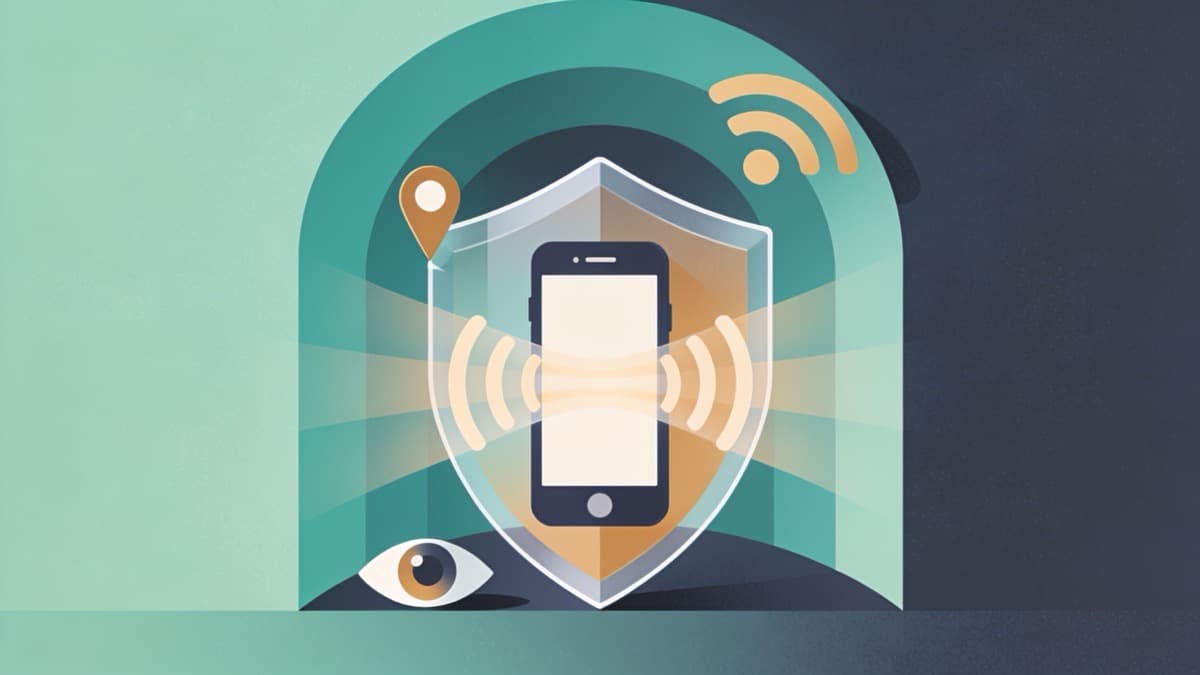
Sometimes yes, often no. A VPN on your phone encrypts the network traffic leaving your device, which genuinely helps on untrusted Wi-Fi and hides your browsing from your carrier or ISP. But it does nothing about app tracking, advertising IDs, or GPS location — the risks most people actually carry around all day.
What your phone actually leaks (and to whom)
Before deciding whether a VPN helps, it's worth being precise about who can see what. A modern smartphone leaks data in several directions at once, and each leak has a different audience. A VPN only stands between you and one of them — the network — so mapping the others first tells you exactly how much a VPN can and cannot buy you.
There are roughly four parties watching a typical phone, and they see very different things:
- The network you're on — the Wi-Fi hotspot or the person running it can see which servers you connect to and how often, even when the content is encrypted.
- Your ISP or mobile carrier — sees your DNS lookups (every domain you try to reach), connection metadata, and, on the rare non-HTTPS site, the content itself.
- The apps on your phone — read device identifiers, sensor data, contacts you've granted, and often your precise location, then share it with ad networks.
- The operating system and hardware — Apple or Google, plus the baseband, which a consumer VPN never touches.
A VPN sits squarely in front of the first two and is invisible to the last two. That single sentence is the whole article in miniature — everything below is just the detail. If you want the buying-guide version with tested picks, our best VPN guide ranks providers, while our privacy-focused VPN roundup weighs logging policies and jurisdiction.
Public Wi-Fi in 2026: real risk or scare story?
Public Wi-Fi is the reason most people first install a mobile VPN, and it's the risk that has changed the most. The old "anyone on the coffee-shop network can read your passwords" demo largely stopped working years ago, because the web moved almost entirely to HTTPS. Understanding what actually changed tells you how much protection you still need.
Today over 95% of web traffic is encrypted in transit, so the content of what you send — passwords, messages, card numbers on a checkout page — is already scrambled before it ever hits the router. Your phone also refuses unsigned or malformed networks and warns on captive portals. The dramatic man-in-the-middle attacks from a decade ago mostly no longer land the way they used to.
That doesn't mean public Wi-Fi is harmless. The threat model simply shifted from content to metadata and from interception to impersonation:
- Evil-twin hotspots — a rogue access point named like the real venue's network can intercept your connection before encryption is negotiated, and phones set to auto-reconnect can join one silently.
- Observation, not reading — whoever runs the network still sees who you connect to, when, how often, and for how long, even over HTTPS.
- Downgrade and portal tricks — captive portals and forced-HTTP redirects can nudge you toward pages you didn't intend to load.
This is exactly the layer a VPN is built for. It wraps all of your traffic in a single encrypted tunnel to the VPN server, so an evil twin or a nosy network operator sees one encrypted stream to one destination instead of your per-site pattern. Worth noting: your cellular data is almost always safer than public Wi-Fi to begin with, because it's encrypted to the carrier and much harder to impersonate — so the strongest case for a phone VPN is specifically on Wi-Fi you don't own.
Carrier and ISP logging: what a VPN genuinely hides
Whether you're on home broadband, office Wi-Fi, or 5G, the network provider carrying your traffic keeps records. This is the quietest privacy risk because nothing on screen ever signals it, and it's the one where a properly configured VPN delivers its clearest, most measurable win.
Without a VPN, your ISP or mobile carrier can see your DNS queries — the domain behind every site you attempt to reach, even if the page never finishes loading — plus connection metadata: which IP addresses you touched, when, for how long, and how much data moved. In several countries that data can be retained and, in some, sold. A VPN routes your DNS through its own encrypted resolver and hides the destinations behind AES-256 encryption, so the carrier sees only an encrypted stream to the VPN server.
There are two honest caveats that a lot of VPN marketing skips over:
- Some metadata still leaks — your ISP can still tell that you're using a VPN, which server IP you connected to, and the timing and volume of data. The what is hidden; the fact of a VPN is not.
- DNS leaks undo the whole thing — if your setup sends some lookups outside the tunnel, the carrier regains visibility into those domains even while you're "connected." It's worth learning what a DNS leak is and running a quick check, alongside the related WebRTC leak that can expose your real IP in a browser.
Because a VPN is only as private as its own logging policy, the provider's jurisdiction and no-logs stance matter more than any speed number — which is exactly what our privacy VPN comparison focuses on.
App tracking and advertising IDs: where a VPN does nothing
Here is the part the VPN industry tends to gloss over. The single biggest way your phone is tracked day to day has nothing to do with the network, and a VPN is completely blind to it. The tracking happens inside the apps you already trust, using identifiers baked into the operating system itself.
Every phone carries an advertising ID — Apple calls it the IDFA, Android calls it the Google Advertising ID (GAID/AAID). Apps and embedded SDKs read that ID and stitch your activity into a persistent profile tied to your device. A VPN changes your IP address, but it does not change or remove these identifiers, so ad networks keep associating your behavior with the same profile whether the VPN is on or off. A VPN also cannot see or block GPS: if location services are enabled, apps still know precisely where you are.
The fix isn't a VPN at all — it's a few settings changes that take about two minutes and matter more than any subscription:
- 1iOS — Settings › Privacy & Security › Tracking, turn off "Allow Apps to Request to Track." App Tracking Transparency then blocks apps from reading your IDFA and forbids them from using workarounds to track you across other apps.
- 2Android — Settings › Privacy › Ads, delete your advertising ID entirely so apps receive a string of zeros instead of a stable identifier.
- 3Both — audit per-app location permissions, switch precise location to approximate where you can, and revoke access from apps that have no business knowing where you are.
Think of it as a division of labor: your device settings handle who you are, and a VPN handles where your traffic goes. Neither replaces the other, and only doing the VPN half leaves the more valuable data wide open.
The battery and speed trade-off, measured
A VPN isn't free performance-wise, and the cost is real but usually smaller than people fear. Because the tunnel encrypts and decrypts every packet, it adds CPU work, which shows up as extra battery use and a modest speed reduction. The size of that hit depends heavily on the protocol and the network you're on.
Independent testing and provider data land in a fairly consistent range:
- Battery — a VPN typically adds roughly 5–15% during active use; some tests measured as little as 0.5% extra, and one real-world day-long test came in around 8% over a no-VPN baseline.
- Protocol matters — WireGuard averaged 12–18% less battery than OpenVPN over continuous multi-hour connections, so choosing a modern protocol meaningfully cuts the cost.
- Network matters — running a VPN over cellular draws more power than over Wi-Fi, so the drain feels worse on the go.
- Speed — every VPN slows your connection somewhat, but with a good provider on a nearby server the difference is usually unnoticeable for browsing and streaming. You can sanity-check your own numbers with our VPN speed test.
Want a mobile VPN that's light on battery and quick to reconnect? See our current top pick and its live pricing.
See our top-ranked VPNs →If the battery cost bothers you, split tunneling is the answer: route only the apps that need protection through the VPN and let everything else use the normal connection. That keeps your banking and browsing tunneled while your music and games run at native speed — the best of both trade-offs.
iOS vs Android: does the platform change the answer?
The core function of a VPN is identical on both platforms — an encrypted tunnel is an encrypted tunnel — but the surrounding privacy defaults differ enough to shift where the VPN sits in your overall setup. Knowing those differences helps you avoid paying a VPN to solve a problem your phone already handles.
On iOS
Apple's App Tracking Transparency and on-device controls give you comparatively strong, built-in defense against app tracking, which means the VPN's job is cleanly scoped to the network layer. iOS also supports always-on VPN configurations and per-app rules, though the tightest always-on enforcement is a managed/enterprise feature rather than a consumer toggle.
On Android
Android gives you a genuine system-level "Always-on VPN" with a "Block connections without VPN" (kill-switch) option in the network settings — arguably the strongest consumer always-on guarantee of the two. The flip side is a historically more permissive tracking environment, so pairing the VPN with deleting your advertising ID matters more here.
The practical takeaway is the same on both: a VPN covers the network, your platform settings cover the tracking, and the two together are far stronger than either alone. Our editorial privacy guide goes deeper on configuring both sides.
When it's actually worth leaving on
You don't have to choose between "always on" and "never on." The smartest approach treats the VPN as a situational tool with a couple of default-on cases, balancing the real privacy gain against the modest battery cost we measured above. Here's a practical decision framework.
Leave it on when:
- You're on any Wi-Fi you don't control — cafes, airports, hotels, conferences — especially for banking or logging into accounts.
- You want to keep your browsing off your ISP's or carrier's logs as a matter of principle, at home or on the go.
- You're travelling and want a stable, consistent connection profile, or need to reach services and content the way they look back home — the use case behind our streaming VPN guide and the can I watch checker.
You can comfortably leave it off when you're on your own trusted home network for casual browsing and want to conserve battery — that's a reasonable trade, not a security failure. What a VPN never substitutes for, on any network, is the boring stuff that does the heavy lifting: keep your OS and browser updated, use a password manager, and turn on 2FA. Those three protect you even on a fully compromised network, which is more than a VPN alone can promise.
For the full tested rankings, pricing, and mobile-app notes, see our main best VPN guide and the live VPN price index. This post is the editorial "why"; those pages are the "which one."
The bottom line
A phone VPN is a network-layer tool, not a privacy cure-all. It earns its place on untrusted Wi-Fi and against carrier or ISP logging, at a battery cost most people won't notice with a modern protocol. It does nothing about app tracking, advertising IDs, or GPS — for those you need your phone's own settings. Use both, deliberately, and you get real protection instead of a false sense of it.
Frequently asked questions
Do I really need a VPN on my phone if most sites use HTTPS?
HTTPS encrypts the content of what you send, but not the metadata around it. On Wi-Fi you don't control, a VPN still hides which sites you visit and how often from the network operator, and it stops your ISP or carrier from logging your DNS queries. If you never use untrusted Wi-Fi and don't mind carrier logging, you may not need one.
Does a VPN stop apps from tracking me?
No. App tracking uses your device's advertising ID (IDFA on iOS, GAID on Android) and permissions like location, none of which a VPN can see or change. Changing your IP doesn't break the profile tied to your device. To limit app tracking you must turn off tracking in iOS settings or delete your advertising ID on Android, and audit location permissions.
How much battery does a VPN drain on a phone?
Typically around 5–15% extra during active use, though some tests measured as little as 0.5% and a full-day real-world test came in near 8%. WireGuard uses notably less power than OpenVPN, and running over Wi-Fi drains less than cellular. Split tunneling — routing only some apps through the VPN — cuts the cost further while keeping sensitive traffic protected.
Is a VPN different on iPhone versus Android?
The encryption tunnel works the same, but the surrounding defaults differ. iOS has strong built-in App Tracking Transparency, so the VPN cleanly covers only the network. Android offers a true system-level always-on VPN with a block-without-VPN kill switch, but a more permissive tracking environment, so pairing it with deleting your advertising ID matters more. Both need the VPN plus settings.
Can my carrier still see my activity if I use a VPN?
A properly configured VPN hides your DNS queries and the sites you visit from your carrier behind encryption. However, the carrier can still see that you're using a VPN, the VPN server's IP, and the timing and volume of your data. And if your VPN has a DNS leak, the carrier regains visibility into those domains, so it's worth running a leak test.
Should I leave my phone VPN on all the time?
Leave it on for any Wi-Fi you don't control, for banking and account logins on the go, and when you want to keep browsing off carrier logs. You can turn it off on your trusted home network to save battery — that's a fair trade, not a risk. Whatever you decide, keep your OS updated, use a password manager, and enable 2FA.
The best VPNs of 2026, ranked
Now you know how — here are the VPNs we recommend, independently tested and ranked for speed, streaming, privacy and value. Any of them works for everything in this guide.

ExpressVPN Ultra fast & secure. Great for privacy, downloads, and everyday browsing on all your devices. 24/7 live chat support.
ExpressVPN Ultra fast & secure. Great for privacy, downloads, and everyday browsing on all your devices. 24/7 live chat support.

IPVanish Fast speeds with unlimited device connections. Strong no-logs privacy and 24/7 live chat support. Great for families.

IPVanish Fast speeds with unlimited device connections. Strong no-logs privacy and 24/7 live chat support. Great for families.

NordVPN Excellent speeds with one of the largest server networks. Strong security features and easy-to-use apps. 24/7 live chat support.
NordVPN Excellent speeds with one of the largest server networks. Strong security features and easy-to-use apps. 24/7 live chat support.

Proton VPN Swiss-based VPN with strong privacy focus. Audited no-logs policy and open-source apps. Great for privacy-conscious users.
Proton VPN Swiss-based VPN with strong privacy focus. Audited no-logs policy and open-source apps. Great for privacy-conscious users.

CyberGhost Fast speeds and strong privacy tools. Simple apps, automatic WiFi protection, and 24/7 live chat support.
CyberGhost Fast speeds and strong privacy tools. Simple apps, automatic WiFi protection, and 24/7 live chat support.

TotalVPN Affordable VPN with strong privacy and reliable speeds. Easy-to-use apps for all major devices. No-logs policy.
TotalVPN Affordable VPN with strong privacy and reliable speeds. Easy-to-use apps for all major devices. No-logs policy.

Private Internet Access High-speed VPN with a large server network and advanced security settings. Ad blocker included and 24/7 live chat support.
Private Internet Access High-speed VPN with a large server network and advanced security settings. Ad blocker included and 24/7 live chat support.

Surfshark Unlimited device connections at a budget-friendly price. Includes ad blocker and strong privacy tools. Great value for money.
Surfshark Unlimited device connections at a budget-friendly price. Includes ad blocker and strong privacy tools. Great value for money.
Rankings are based on our independent testing methodology. Each guide applies the criteria described on that page, including relevant performance, privacy, product features, and value data. We may earn affiliate commissions from links on this page, which helps fund our testing — this does not influence our rankings.