Double VPN Explained: When Two Servers Actually Help, and When It's Just Theatre
Chaining your traffic through two VPN servers sounds twice as safe. Here's what multi-hop really does to your threat model, your metadata, and your speed.

vpnrank.io is reader-supported: we may earn a commission if you buy through links in this article. This never affects our rankings.
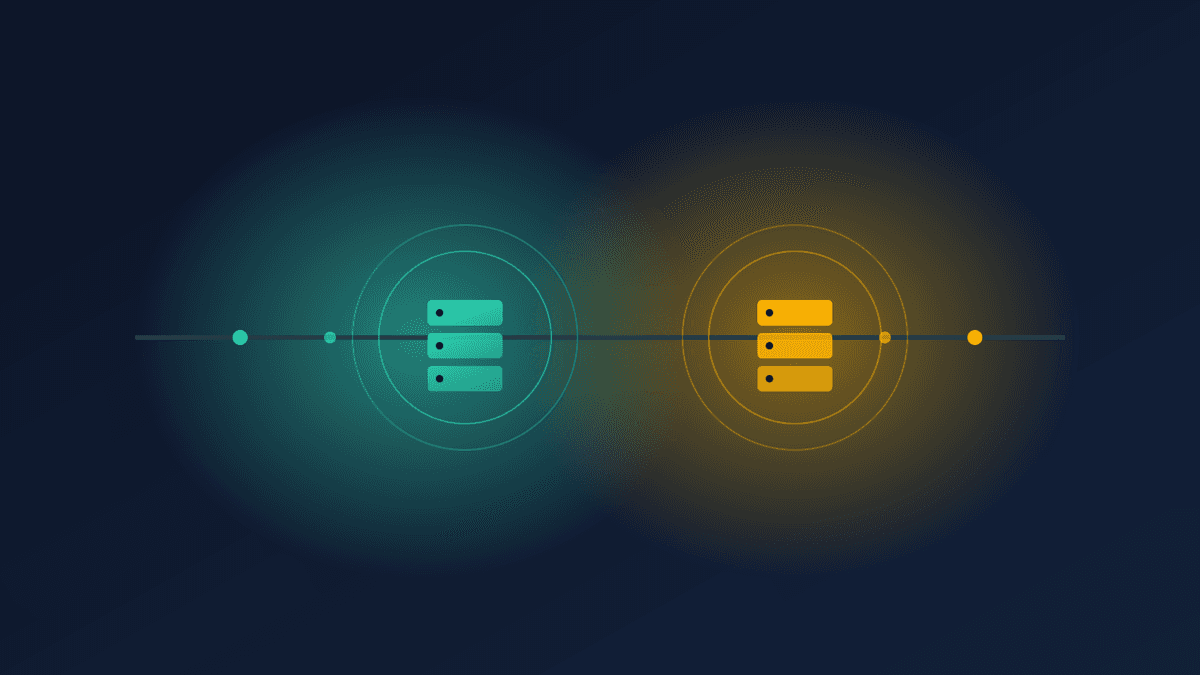
A double VPN, also called multi-hop, routes your traffic through two VPN servers instead of one, encrypting it twice and swapping your visible location between two countries. It meaningfully raises the bar against a single compromised server and casual correlation, but it does nothing against a global adversary and always costs you speed.
How chaining two servers actually works
To understand where double VPN helps and where it doesn't, you need a clear picture of the plumbing. A standard connection encrypts your traffic once and sends it to a single server, which decrypts it and forwards it to the wider internet. Multi-hop inserts a second server into that path, so your data is wrapped, unwrapped, and re-wrapped along the way.
Think of it as a relay race. Your device builds an encrypted tunnel to the first server. Inside that tunnel sits a second, separate encrypted tunnel aimed at the second server. The first server can see that you connected but cannot read the inner payload; the second server can read the payload but never sees your real IP address. Only the second server's IP touches the open internet.
One detail people miss: the double encryption is nested, not sequential. Your client wraps the inner tunnel first, then wraps the whole thing in the outer tunnel, like an envelope inside an envelope. Each hop peels exactly one layer. That nesting is what guarantees the entry server can never read your destination and the exit server can never read your origin, even though both handle the same packet.
- 1Your device double-encrypts each packet: an outer layer for hop one, an inner layer for hop two.
- 2Hop one (the entry server) sees your real IP, strips the outer layer, and forwards the still-encrypted inner packet onward. It never sees the destination.
- 3Hop two (the exit server) strips the inner layer and forwards your request to the website. It sees the destination but only ever saw hop one's IP, not yours.
- 4The website replies to hop two, which sends it back up the chain to you.
The crucial property is that no single point in the chain holds the full picture. The entry server knows who you are but not what you're doing; the exit server knows what you're doing but not who you are. Splitting that knowledge across two operators, ideally in two legal jurisdictions, is the entire point of the design.
The threat models where double VPN genuinely helps
Multi-hop is not a general upgrade that everyone should switch on. It's a targeted tool that neutralises a specific set of attacks. If your adversary is realistically capable of one of the following, the second hop earns its keep. If not, you're paying a speed tax for reassurance rather than protection.
A single compromised or hostile server
If one server in the chain is seized, subpoenaed, or quietly compromised, it still only holds half the story. An entry server that gets raided reveals that you connected but not what you did. An exit server that gets logged reveals traffic but not whose it is. For journalists, researchers, and people operating under state-level surveillance, splitting that risk across two jurisdictions is the difference that matters. Our privacy-focused VPN guide goes deeper on jurisdiction and no-logs auditing.
There is a subtler version of this worth naming. Even without a raid, a hostile or misconfigured server that quietly logs can only ever record the half of the picture it holds. A single-hop setup concentrates both halves on one machine, so one bad server, one rogue employee, or one legal order exposes everything. Splitting the two halves is defence in depth against the operator itself, not just against outside attackers.
Casual network-level correlation
A local observer, a compromised Wi-Fi network, or your internet provider can see that you're using a VPN and roughly how much data flows. With a single hop, matching your entry traffic to a known exit is comparatively easy for an in-path snooper. Two hops in different countries break that simple line-of-sight matching for anyone who isn't watching both ends of the chain simultaneously.
Metadata profiling
Advertisers and data brokers assemble profiles from IP addresses and behavioural metadata. Multi-hop buries your origin IP under a second layer and mixes your traffic with hundreds of other users on a shared exit, making it materially harder to attribute a browsing session back to you. This is a genuine, if modest, win for everyday anti-tracking.
Where double VPN is mostly theatre
Here's the uncomfortable part that most provider marketing skips. Against the single most powerful class of attack on any anonymity system, adding a second hop buys you very little. Security researchers are consistent on this, and it's worth internalising before you assume two servers make you untouchable.
The dominant practical threat is the end-to-end correlation attack. An adversary who can observe both your home connection and the exit point can match timing, volume, and packet patterns to link the two ends, no matter how many hops sit between them. This is the same limitation that constrains Tor, which uses three relays rather than two. If someone can watch both ends, the middle doesn't save you.
It helps to be concrete about what "watching both ends" means, because it sounds harder than it often is. An adversary does not need to break any encryption. They only need to sit on the network near your home and near the exit server, then compare the rhythm of bytes leaving you with the rhythm of bytes arriving at the destination. Packet timing and volume form a fingerprint that survives every layer of encryption you add, which is precisely why stacking hops cannot erase it.
- A global or state-level adversary with monitoring at multiple network vantage points can still perform timing correlation across your whole path. Two hops raise the cost, not the ceiling.
- Both servers run by the same provider collapse the jurisdictional benefit. If one company operates and logs both hops, the split-knowledge guarantee is only as strong as that single company's honesty and no-logs record.
- Application-layer leaks defeat the whole exercise. If you log into an account, allow a WebRTC leak, or send a DNS query outside the tunnel, your identity leaks regardless of how many servers you chained.
- Browser fingerprinting and cookies track you by device characteristics and stored identifiers, which multi-hop does nothing to change.
None of this makes double VPN useless. It makes it a scalpel, not a shield. Turning it on because "more is safer" while logging into your real accounts through it is the definition of security theatre: it feels protective and changes nothing about your actual exposure.
How double VPN differs from Tor
Because both chain traffic through multiple relays, double VPN and Tor get conflated constantly, but they make opposite trade-offs and suit different people. Understanding the split helps you pick the right tool instead of assuming the more famous one is automatically more private. The difference comes down to who runs the relays and how many there are.
Tor routes through three volunteer-run relays and is designed so no single relay knows both your identity and your destination; the network is free, decentralised, and resistant to any one operator turning malicious. The cost is speed and reliability: Tor is slow, some sites block its exit nodes, and its volunteer model means you cannot vet every relay. A double VPN uses two servers, usually run by one company you are choosing to trust, which makes it far faster and more usable for streaming or large downloads but concentrates that trust in a single provider's honesty and audit record.
The practical read: if you need maximum anonymity against a determined adversary and can tolerate slowness, Tor's decentralisation is stronger. If you want a meaningful privacy layer that is still fast enough for daily use, a double VPN from an audited no-logs provider is the more livable choice. Neither one defeats an adversary who can watch both ends of your connection, so do not treat either as a magic cloak.
The speed cost is real and unavoidable
Every benefit of multi-hop comes with a bill, and the currency is performance. You are adding a second server, a second round of encryption and decryption, and often thousands of extra kilometres of physical distance. There is no configuration that makes two hops as fast as one; the physics of latency and processing overhead don't negotiate.
In practice you should expect a noticeably larger drop than a single hop causes, driven by three factors working together:
- Extra distance: traffic may travel through two far-apart countries before reaching the site, adding round-trip latency.
- Double encryption overhead: each packet is processed twice, which taxes both servers and your own device.
- Two potential bottlenecks: your effective speed is capped by whichever of the two hops is more congested.
For latency-sensitive tasks the trade is rarely worth it. If you're chasing throughput for 4K streaming or trying to keep ping low, a single well-chosen server almost always wins. You can see how much a normal single hop costs you first with our VPN speed test before deciding whether a second hop is tolerable.
For most people, one good hop is enough
It's worth stating plainly, because the industry rarely does: a single hop with strong encryption and an audited no-logs policy already covers the overwhelming majority of real-world needs. Everyday privacy is not a global-adversary problem, and treating it like one just makes your connection slower for no security gain.
A useful test is to ask what you are actually defending against tonight. If the honest answer is "my internet provider, an advertiser, or the coffee-shop network," none of those adversaries can watch both ends of your connection, so a second hop adds nothing they could have exploited anyway. The second hop only starts to matter when your realistic adversary can compromise or compel a server, and most people's realistic adversary cannot.
A single, reputable connection handles all of these comfortably:
- Keeping your internet provider from logging your browsing.
- Protecting you on public and hotel Wi-Fi.
- Blocking casual advertiser and broker tracking.
- Reaching your home content while travelling.
The choose-what-to-worry-about principle applies. If you want to unblock a library abroad, watch the streaming services you already pay for, or check whether a title is available in your region with our Can I Watch tool, a fast single hop is the correct choice and multi-hop is actively counterproductive. Reserve the second hop for the genuine high-risk cases.
Want a fast, audited single hop as your daily baseline before you ever reach for multi-hop? See our current top-rated pick.
See our top-ranked VPNs →Which providers offer double VPN, and how they differ
Multi-hop implementations are not interchangeable. The design choices behind each one determine how much of the split-knowledge benefit you actually get, and how much flexibility you have. Three approaches dominate the market, and the differences matter more than the marketing suggests.
Pre-configured pairs (NordVPN)
NordVPN offers preset Double VPN server pairs across a set of countries. You pick a route from a list and connect. It's the simplest option and good for less technical users who want the feature without decisions, at the cost of freely choosing your own entry and exit countries; coverage is also limited to a handful of countries rather than the whole network.
Dynamic pairing (Surfshark)
Surfshark's Dynamic MultiHop lets you manually pair almost any two servers across its network, so you can choose both the entry and exit country yourself. This is the most flexible model and useful when a specific jurisdictional combination matters to your threat model.
Hardened first hop (Proton VPN Secure Core)
Proton VPN's Secure Core routes your first hop through hardened, company-owned servers in Switzerland, Iceland, and Sweden before passing you to a second server. The Icelandic facility sits in a former military base and the Swedish one is in an underground data centre, adding physical security to the jurisdictional split. It's aimed squarely at high-risk users.
Whichever you choose, verify the no-logs claims and audit history rather than the number of countries. Our main VPN rankings and the live VPN price index can help you weigh features against what you'll actually pay, and the privacy guide covers how to read an audit report properly.
The bottom line
Double VPN is a real privacy tool with a narrow, legitimate purpose: splitting trust across two servers and jurisdictions so no single point can link who you are to what you do. That genuinely helps against a compromised server and casual correlation. It does not defeat a global adversary who watches both ends, and it does not fix leaks, logins, or fingerprinting.
So match the tool to the threat. If you're a journalist, activist, or anyone facing state-level attention, multi-hop with two independent jurisdictions is a sensible layer. If you're streaming, shopping, or shielding yourself on café Wi-Fi, a single fast hop with an audited no-logs policy is both safer in practice and far quicker. Turning on two hops "just in case" mostly just makes your connection slow.
Frequently asked questions
Is a double VPN twice as secure as a regular VPN?
No. It adds a second layer of encryption and a jurisdictional split, which genuinely helps against a single compromised server and casual network correlation. But it does nothing against a global adversary who can watch both ends of your connection, and nothing against logins, DNS or WebRTC leaks, or browser fingerprinting. It's a targeted tool, not a blanket doubling of safety.
How much does double VPN slow down my connection?
Noticeably more than a single hop. You're adding a second server, a second round of encryption, and often thousands of extra kilometres of distance. Your effective speed is capped by whichever of the two hops is more congested. For streaming, gaming, or anything latency-sensitive, a single well-chosen server almost always performs far better.
Do I need a double VPN for streaming or everyday browsing?
No, and it's actively counterproductive there. A single fast hop with strong encryption and an audited no-logs policy already covers public Wi-Fi, blocking your provider, casual anti-tracking, and reaching content while travelling. Multi-hop just adds latency without solving any streaming or everyday-privacy problem, so reserve it for genuine high-risk situations.
Does double VPN stop traffic correlation attacks?
It makes casual, in-path correlation harder, but it does not stop a global end-to-end correlation attack. An adversary who can observe both your home connection and the exit point can still match timing and volume patterns to link the two ends, regardless of how many hops sit between them. This is the same fundamental limit that constrains Tor.
Which VPN providers offer double VPN or multi-hop?
The three main approaches are NordVPN's pre-configured Double VPN pairs, Surfshark's Dynamic MultiHop that lets you pair almost any two servers, and Proton VPN's Secure Core, which routes your first hop through hardened servers in Switzerland, Iceland, and Sweden. The right choice depends on whether you want simplicity, flexibility, or physical hardening of the first hop.
Is double VPN the same as Tor?
They share the multi-hop idea but differ importantly. Tor uses three volunteer-run relays and no single relay knows both ends, giving stronger anonymity but slower, less reliable performance. A double VPN uses two servers, often run by one company, which is faster and more usable but concentrates trust in that provider. Neither defeats a global adversary watching both ends.
Does using both servers from the same provider defeat the point?
Partly. The core benefit of multi-hop is splitting knowledge across two operators so no one entity can link your identity to your activity. If one company runs and could log both hops, that guarantee reduces to trusting a single provider's honesty and no-logs record. It's why an independently audited no-logs policy matters more than the number of hops.
The best VPNs of 2026, ranked
Now you know how — here are the VPNs we recommend, independently tested and ranked for speed, streaming, privacy and value. Any of them works for everything in this guide.

ExpressVPN Ultra fast & secure. Great for privacy, downloads, and everyday browsing on all your devices. 24/7 live chat support.
ExpressVPN Ultra fast & secure. Great for privacy, downloads, and everyday browsing on all your devices. 24/7 live chat support.

IPVanish Fast speeds with unlimited device connections. Strong no-logs privacy and 24/7 live chat support. Great for families.

IPVanish Fast speeds with unlimited device connections. Strong no-logs privacy and 24/7 live chat support. Great for families.

NordVPN Excellent speeds with one of the largest server networks. Strong security features and easy-to-use apps. 24/7 live chat support.
NordVPN Excellent speeds with one of the largest server networks. Strong security features and easy-to-use apps. 24/7 live chat support.

Proton VPN Swiss-based VPN with strong privacy focus. Audited no-logs policy and open-source apps. Great for privacy-conscious users.
Proton VPN Swiss-based VPN with strong privacy focus. Audited no-logs policy and open-source apps. Great for privacy-conscious users.

CyberGhost Fast speeds and strong privacy tools. Simple apps, automatic WiFi protection, and 24/7 live chat support.
CyberGhost Fast speeds and strong privacy tools. Simple apps, automatic WiFi protection, and 24/7 live chat support.

TotalVPN Affordable VPN with strong privacy and reliable speeds. Easy-to-use apps for all major devices. No-logs policy.
TotalVPN Affordable VPN with strong privacy and reliable speeds. Easy-to-use apps for all major devices. No-logs policy.

Private Internet Access High-speed VPN with a large server network and advanced security settings. Ad blocker included and 24/7 live chat support.
Private Internet Access High-speed VPN with a large server network and advanced security settings. Ad blocker included and 24/7 live chat support.

Surfshark Unlimited device connections at a budget-friendly price. Includes ad blocker and strong privacy tools. Great value for money.
Surfshark Unlimited device connections at a budget-friendly price. Includes ad blocker and strong privacy tools. Great value for money.
Rankings are based on our independent testing methodology. Each guide applies the criteria described on that page, including relevant performance, privacy, product features, and value data. We may earn affiliate commissions from links on this page, which helps fund our testing — this does not influence our rankings.