Is Public Wi-Fi Actually Dangerous? The Real Risks, Explained
Evil twins, packet sniffing, and SSL stripping are real — but the threat has changed. Here's what still matters in 2026 and the habits that keep you safe.

vpnrank.io is reader-supported: we may earn a commission if you buy through links in this article. This never affects our rankings.
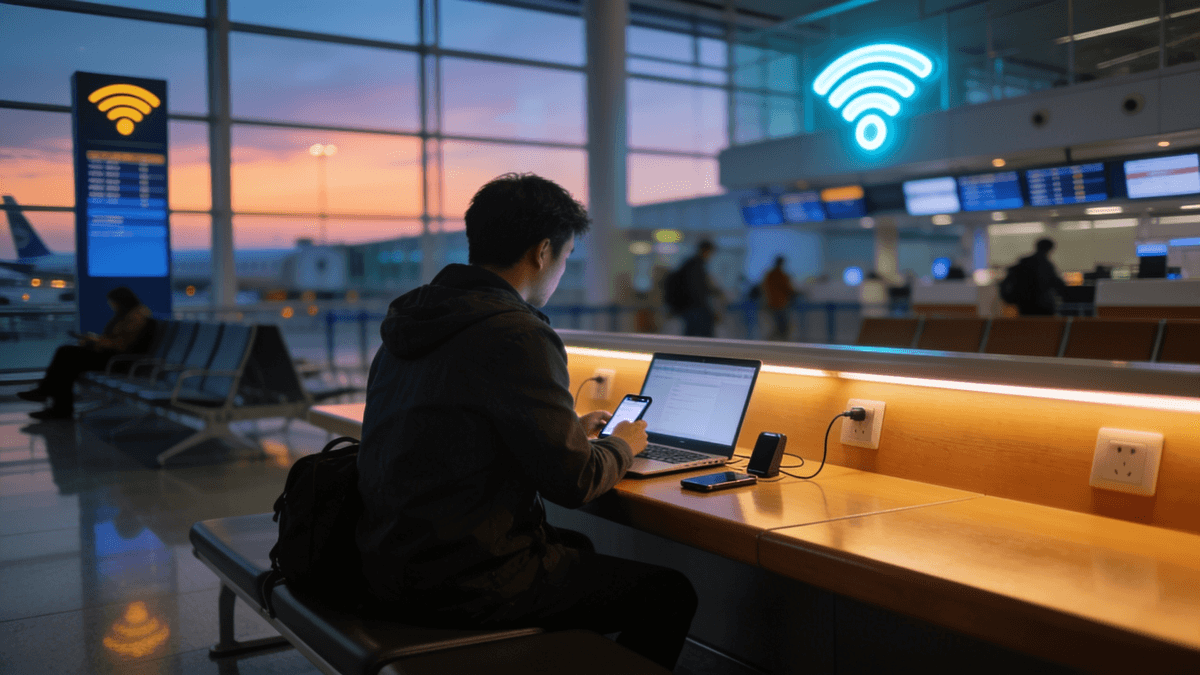
Public Wi-Fi is meaningfully safer than it was a decade ago, but it is not risk-free. The genuine threats today are rogue "evil twin" hotspots, passive packet sniffing on open networks, and downgrade tricks like SSL stripping. Modern HTTPS neutralizes much of the old danger, yet a few realistic gaps remain, and those are the ones worth understanding.
Why the public Wi-Fi threat quietly changed
A decade ago, a laptop and a free Firefox extension called Firesheep could hijack the logged-in sessions of everyone at a coffee shop, because many popular websites sent session cookies in plain text after login. Released in 2010, it turned a sophisticated attack into a point-and-click sidebar. That era is largely over. The web moved almost entirely to HTTPS, which encrypts the connection between your browser and each site you visit, and browsers now warn loudly when a page is unencrypted.
The U.S. Federal Trade Commission now states plainly that because the use of encryption is so widespread, connecting through a public Wi-Fi network is usually safe. That is a meaningful shift in official guidance from the blanket warnings of the early 2010s. But "usually safe" is not "always safe," and the remaining risks concentrate in a handful of specific, still-plausible attacks rather than the wholesale eavesdropping of the past.
The reframing matters because scaremongering helps no one. If you believe every airport network is a certain trap, you either avoid useful connectivity entirely or you tune out the warnings that actually count. The goal here is precision: know which threats are real in 2026, which are mostly historical, and where a single tool or habit closes the gap. That mindset, rather than fear, is what keeps you genuinely safer.
What HTTPS already protects, and what it doesn't
Before dissecting the attacks, it helps to be clear about the shield you already carry. HTTPS, shown by the lock icon and the "https" prefix in your address bar, encrypts the contents of your traffic between your device and the website. Almost every serious site uses it today. Understanding its edges tells you exactly where the residual risk lives.
What HTTPS covers is the payload: the actual data you send and receive. Passwords typed into a login form, the messages in your webmail, the card number at checkout, the pages you read on a news site all travel as ciphertext that a local eavesdropper cannot read. This is why the casual "someone at the next table is reading my Facebook" fear is mostly obsolete. The encryption follows the connection, not the network, so it protects you even on a wide-open hotspot.
What HTTPS does not cover is metadata and misplaced trust. It does not hide which sites you connect to, since the domain name is often visible in DNS lookups and the connection setup (our guide to what the Wi-Fi owner can see walks through each leak). It does not protect an app or page that still falls back to plain HTTP. And it does not save you from a convincing fake site or fake login page you willingly type into, because your data is encrypted straight to the scammer. Those three gaps map neatly onto the three attacks that follow.
Evil twin hotspots: the most realistic threat
An evil twin is a rogue access point an attacker sets up to impersonate a legitimate network. They broadcast a familiar name, such as "Airport_Free_WiFi" or "Starbucks_Guest," and because your device is trained to trust names it has seen before, it may connect automatically, especially if the fake signal is stronger than the real one. The attack works precisely because the network name, or SSID, is trivially easy to copy.
Once you connect through the attacker's access point, they sit between you and the internet. This is the classic man-in-the-middle position. On its own, that does not break HTTPS, but it gives the attacker a platform to attempt other tricks, to serve fake captive-portal login pages that harvest credentials, or to push you toward downloading something malicious. Security researchers note that a well-executed man-in-the-middle setup can be effectively invisible to the victim, with no obvious warning that anything is wrong.
The reason evil twins remain the standout risk is that they exploit human and device habits rather than a software flaw you can patch. The defenses are behavioral: be skeptical of open networks with generic names, confirm the exact network name with staff when it matters, and never type a password for another service such as email or banking into a Wi-Fi sign-in page (our guide to using a VPN for online banking covers what the bank's own encryption already protects). A few practical warning signs are worth internalizing.
- You see two networks with nearly identical names, or a network you expect to be password-protected is suddenly open.
- The captive portal asks for more than an email address, such as a social, banking, or email password.
- Your device connects to a venue's Wi-Fi before you have even walked inside, hinting at a stronger nearby impostor.
- The sign-in page looks slightly off, with odd logos, misspellings, or a URL that does not match the venue.
Packet sniffing on open networks
Packet sniffing is the passive capture of data as it travels across a network. On an open, password-free Wi-Fi network, the radio traffic is not encrypted at the Wi-Fi layer, so anyone nearby with freely available tools can record the packets flowing through the air. This is the mental image most people have when they picture public Wi-Fi danger, and it is where the old Firesheep demonstrations did their damage.
Here is the nuance that changes everything: what a sniffer captures on an HTTPS connection is encrypted gibberish. They can see that your device contacted a server, and roughly how much data moved, but not the contents, not your passwords, messages, or card numbers. That is exactly why the widespread move to HTTPS defanged casual sniffing. The payload is protected even when the airwaves are wide open.
What a sniffer can still learn is metadata: which domains you connect to, often visible through DNS lookups and the initial handshake. For most people that is a privacy nuisance rather than a security emergency. But if any app or site on your device still falls back to plain HTTP, its contents are readable in the clear. That residual gap is one of the strongest arguments for wrapping everything in a second layer of encryption.
- Password-protected networks using WPA2 or WPA3 encrypt the Wi-Fi layer, which blunts nearby sniffing even before HTTPS is considered.
- Fully open networks with no password give a sniffer the cleanest possible view of any unencrypted traffic.
- DNS queries and connection metadata often leak the sites you visit even when page contents stay encrypted; see how a DNS leak exposes browsing activity.
SSL stripping and downgrade attacks
SSL stripping is the cleverest of the remaining attacks. Instead of trying to break encryption, the attacker sits in the middle and quietly serves you the insecure HTTP version of a site while talking to the real server over HTTPS. If it works, you think you have a normal connection, but your half of the conversation travels in plain text the attacker can read, including anything you type.
The good news is that browsers and websites have hardened against this. HTTP Strict Transport Security, or HSTS, tells your browser to refuse the insecure version of a site outright, and turning on your browser's HTTPS-Only mode extends that protection everywhere by blocking any page that will not load over HTTPS. With those in place, SSL stripping largely fails. It only bites on sites that never enforced HTTPS and on users who click through security warnings.
A related trick worth knowing is the WebRTC leak, where a browser feature can expose your real IP address even when you think you are shielded. It is not specific to public Wi-Fi, but it is the kind of quiet leak that undermines the assumption that your connection is fully private. Understanding these edge cases is what separates informed caution from blanket fear, and it points to why a whole-device layer is useful.
Where a VPN closes the gap
A VPN builds one encrypted tunnel between your device and a remote server, and everything, every app, every site, secure or not, travels inside it. That is the key difference from HTTPS, which only protects traffic that individual sites and apps chose to encrypt. A VPN raises the floor for your whole device at once, on any network you happen to join.
On hostile public Wi-Fi the payoff is concrete. If you connect to an evil twin, the attacker still only sees encrypted tunnel traffic. If someone sniffs the open airwaves, the packets are unreadable. If an app quietly falls back to plain HTTP, the VPN wraps it anyway, and your DNS lookups route through the tunnel instead of leaking the domains you visit to the local network. It converts "usually safe" into a consistent baseline you do not have to think about site by site.
A VPN is not magic. It does not stop you from typing a password into a fake login page, it does not remove malware, and it shifts your trust to the VPN provider, so a no-logs, independently audited service matters. It is one strong layer, most valuable precisely where you least control the network: airports, hotels, cafes, and conference halls. If you are comparing options, our editors maintain an evidence-based list of the best VPNs, and travelers may want the more focused best VPNs for travel guide.
Practical habits that matter more than fear
Tools help, but a few settings and reflexes do most of the heavy lifting. None of these require technical skill, and together they cover the realistic attack paths described above. Think of them as the public Wi-Fi equivalent of locking your car: cheap, fast, and quietly effective at removing you from the easy-target pool that opportunistic attackers rely on.
- 1Turn off auto-connect for open networks. On both iOS and Android you can stop your device from silently joining unknown open Wi-Fi, which is the single biggest defense against evil twins.
- 2Forget networks when you leave. Once you are done with a cafe or airport network, tell your device to forget it so it will not reconnect automatically next time you pass by a lookalike.
- 3Confirm the exact network name. If a login or payment matters, ask staff for the real SSID rather than guessing, because attackers rely on plausible-sounding names.
- 4Keep HTTPS-Only mode on. Enable it in your browser so pages that will not load securely are blocked, which neutralizes most SSL stripping.
- 5Never enter real passwords into a captive portal. A Wi-Fi sign-in page should ask for an email at most, never your bank, email, or social credentials.
- 6Prefer cellular for the sensitive stuff. For banking or anything high-stakes, your phone's mobile data is a simpler, trusted path than any public hotspot.
If privacy rather than pure security is your concern, it is worth learning what a VPN does and does not hide; our explainer on VPNs and privacy goes deeper. And for households, you can push protection to every device at once by running a VPN on your router, so laptops, phones, and even a travel router on hotel Wi-Fi ride the same tunnel without per-device setup.
Who should actually worry, and how much
Risk is not evenly distributed. A casual browser reading news on airport Wi-Fi faces very little real exposure thanks to HTTPS. The people who should take extra care are those doing sensitive work on untrusted networks: handling client data, logging into financial or admin accounts, or working somewhere a targeted attacker might reasonably set up an evil twin, such as a crowded conference or a high-traffic hotel lobby.
For that higher-risk group, the calculus is simple: use a VPN by default, keep the browser and operating system updated, and route the truly sensitive tasks over cellular. Journalists, remote workers with access to company systems, and anyone managing money for others sit squarely in this tier and should treat every unknown network as untrusted until proven otherwise.
For everyone else, the honest message is reassurance with a floor of good habits. Public Wi-Fi is a tool, not a trap. The informed user gets the convenience while quietly sidestepping the small set of attacks that still work, and spends zero energy on the threats that HTTPS already retired years ago.
If you want to go further on the tooling side, you can verify your own setup with our VPN speed test and confirm you are not leaking data through the diagnostics linked throughout this piece. The point is not paranoia; it is knowing exactly where the real edges are so you can stop worrying about the rest and use the network in front of you with a clear head.
Frequently asked questions
Is public Wi-Fi actually safe to use in 2026?
For everyday browsing, mostly yes. Because nearly all websites now use HTTPS encryption, casual eavesdropping captures only unreadable data, and the FTC says connecting through public Wi-Fi is usually safe. The real risks, namely evil twin hotspots, sniffing of unencrypted apps, and SSL stripping, are narrower than they used to be but still worth guarding against.
Can someone see my passwords on public Wi-Fi?
Not on any site or app using HTTPS, which is the overwhelming majority today, because the traffic is encrypted end to end and a sniffer sees only scrambled data. The exceptions are apps that still fall back to plain HTTP, fake captive-portal pages that trick you into typing credentials, and successful SSL stripping. A VPN and HTTPS-Only mode close most of those gaps.
What is an evil twin attack?
It is a rogue Wi-Fi hotspot an attacker sets up to impersonate a legitimate network, using a familiar name like "Airport_Free_WiFi." If your device connects, the attacker sits between you and the internet. This lets them serve fake login pages, push malware, or attempt other attacks. Confirming the exact network name and disabling auto-connect are the best defenses.
Does a VPN protect me on public Wi-Fi?
Yes, substantially. A VPN encrypts all traffic from your device inside one tunnel, so even on a hostile or fake network, a sniffer or man-in-the-middle sees only unreadable data. It also protects apps that do not use HTTPS and hides your DNS lookups. It will not stop you from typing a password into a fake page, so habits still matter.
Should I turn off auto-connect for Wi-Fi?
Yes, for open and unknown networks. Auto-connect is what lets an evil twin hotspot lure your device onto a fake network without you noticing, especially if its signal is stronger. Both iOS and Android let you disable automatic joining of open networks, and you should also forget public networks after use so your device does not reconnect to lookalikes later.
Is my phone's mobile data safer than public Wi-Fi?
Generally yes. Cellular connections are encrypted by the carrier and do not expose you to local evil twin or sniffing attacks the way an open hotspot can. For genuinely sensitive tasks such as online banking, admin logins, or handling private data, using mobile data or a VPN over Wi-Fi is the safer choice than trusting an unknown public network.
The best VPNs of 2026, ranked
Now you know how — here are the VPNs we recommend, independently tested and ranked for speed, streaming, privacy and value. Any of them works for everything in this guide.

ExpressVPN Ultra fast & secure. Great for privacy, downloads, and everyday browsing on all your devices. 24/7 live chat support.
ExpressVPN Ultra fast & secure. Great for privacy, downloads, and everyday browsing on all your devices. 24/7 live chat support.

IPVanish Fast speeds with unlimited device connections. Strong no-logs privacy and 24/7 live chat support. Great for families.

IPVanish Fast speeds with unlimited device connections. Strong no-logs privacy and 24/7 live chat support. Great for families.

NordVPN Excellent speeds with one of the largest server networks. Strong security features and easy-to-use apps. 24/7 live chat support.
NordVPN Excellent speeds with one of the largest server networks. Strong security features and easy-to-use apps. 24/7 live chat support.

Proton VPN Swiss-based VPN with strong privacy focus. Audited no-logs policy and open-source apps. Great for privacy-conscious users.
Proton VPN Swiss-based VPN with strong privacy focus. Audited no-logs policy and open-source apps. Great for privacy-conscious users.

CyberGhost Fast speeds and strong privacy tools. Simple apps, automatic WiFi protection, and 24/7 live chat support.
CyberGhost Fast speeds and strong privacy tools. Simple apps, automatic WiFi protection, and 24/7 live chat support.

TotalVPN Affordable VPN with strong privacy and reliable speeds. Easy-to-use apps for all major devices. No-logs policy.
TotalVPN Affordable VPN with strong privacy and reliable speeds. Easy-to-use apps for all major devices. No-logs policy.

Private Internet Access High-speed VPN with a large server network and advanced security settings. Ad blocker included and 24/7 live chat support.
Private Internet Access High-speed VPN with a large server network and advanced security settings. Ad blocker included and 24/7 live chat support.

Surfshark Unlimited device connections at a budget-friendly price. Includes ad blocker and strong privacy tools. Great value for money.
Surfshark Unlimited device connections at a budget-friendly price. Includes ad blocker and strong privacy tools. Great value for money.
Rankings are based on our independent testing methodology. Each guide applies the criteria described on that page, including relevant performance, privacy, product features, and value data. We may earn affiliate commissions from links on this page, which helps fund our testing — this does not influence our rankings.