VPN vs Proxy vs Smart DNS: What Each Actually Does (And When to Use It)
Three tools, three jobs. One encrypts everything, one masks a single app, one just fixes streaming region locks — here's how to tell them apart and choose without guessing.

vpnrank.io is reader-supported: we may earn a commission if you buy through links in this article. This never affects our rankings.
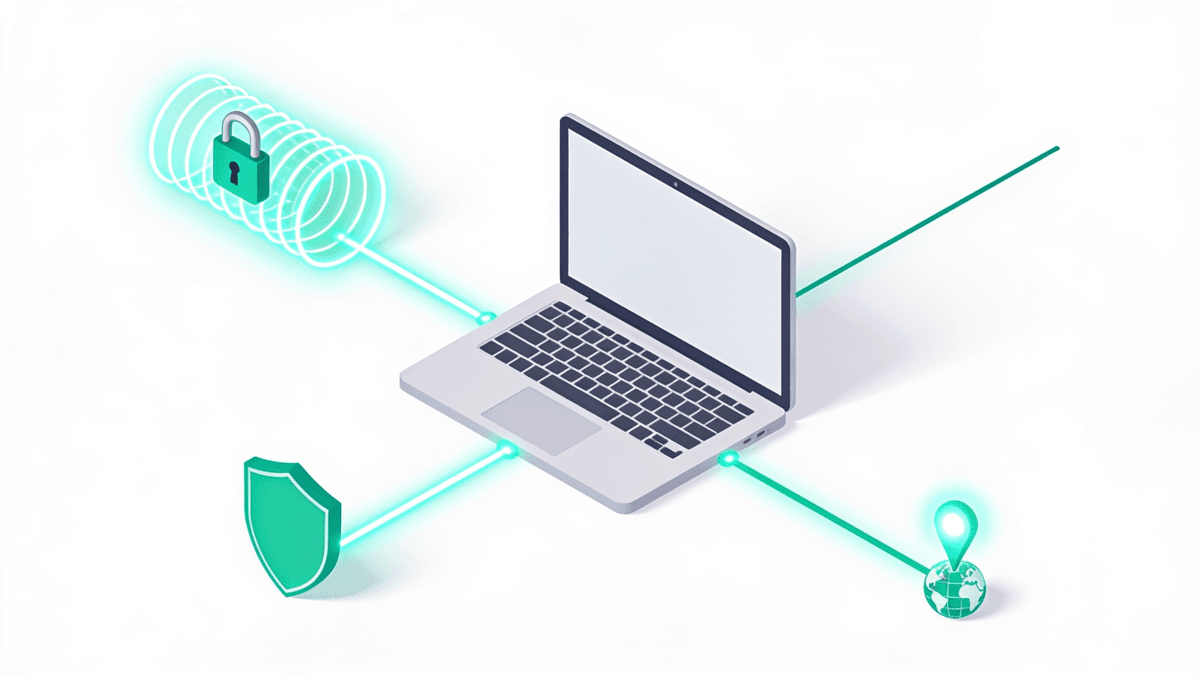
A VPN, a proxy and Smart DNS all change how the internet sees your location, but they are not interchangeable. A VPN encrypts every byte your device sends. A proxy reroutes and masks the IP of one app, usually without encryption. Smart DNS touches only the location check that streaming apps run — nothing else. Match the tool to the job and you stop overpaying or over-trusting.
The one thing that actually separates them: encryption
Most of the confusion around these three tools disappears once you fix on a single question: does it encrypt your traffic? That is the fault line. Everything else — speed, device support, streaming ability, price — flows downstream from whether your data travels inside a sealed tunnel or across the open web where your ISP can read it.
Here is the short version before we go deeper into each:
- VPN — encrypts all traffic from your device and hides your real IP address. Full privacy, small speed cost, works almost everywhere.
- Proxy — reroutes and masks your IP for a single app (or browser), typically without encryption. Lightweight, narrow, not a privacy tool.
- Smart DNS — reroutes only the DNS "where are you?" lookup so streaming services think you're in another country. No encryption, no IP masking, no speed penalty.
If you remember nothing else, remember this: only a VPN encrypts. A proxy hides who you are from a website; Smart DNS hides where you are from a streaming catalogue. Neither hides anything from your internet provider — which is exactly why treating them as substitutes gets people into trouble.
How a VPN works — the full-tunnel option
A VPN builds an encrypted tunnel between your device and a server you choose, then routes 100% of your traffic through it. Your ISP sees an unreadable stream to a single address; every website sees the VPN server's IP instead of yours. That combination — system-wide encryption plus IP masking — is what makes a VPN the broadest of the three.
The word that matters is system-wide. A proxy or Smart DNS touches one app or one type of request; a VPN operates at the network layer, so it covers your browser, your email client, background app traffic and anything else that reaches the internet. Turn it on once and everything on the device is inside the tunnel, without per-app configuration.
Modern VPNs wrap your data in AEAD ciphers like AES-256-GCM or ChaCha20-Poly1305, both regarded as effectively unbreakable by current cryptographic analysis. The protocol carrying that encryption is usually WireGuard (fast, lean, uses ChaCha20-Poly1305) or OpenVPN (older, endlessly configurable, can run on TCP port 443 to look like ordinary HTTPS and slip past network filters). If you want the mechanics without the sales pitch, our VPN privacy guide goes further into logging policies and threat models.
Two features separate a serious VPN from a toy one:
- Kill switch — if the tunnel drops, it blocks all traffic instantly so nothing leaks in the open. Without it, a dropped connection silently exposes you.
- Leak protection — routes DNS through the tunnel and blocks IPv6/WebRTC paths that can betray your real IP even while "connected." You can test this yourself against a DNS leak or WebRTC leak.
The trade-off is speed. Encryption plus the round trip to a distant server typically costs somewhere in the 5–20% range of your bandwidth — usually invisible for browsing and 4K streaming, occasionally noticeable on a far-away server. A nearby server on a WireGuard-based protocol keeps that loss at the low end. You can see how little modern protocols cost on our VPN speed test page.
How a proxy works — the single-app middleman
A proxy sits between one application and the internet, forwarding that app's requests so the destination sees the proxy's IP instead of yours. Crucially, it usually operates per-app, not device-wide, and most proxy types add no encryption. It changes your apparent identity to a website without protecting the data in transit.
There are two common flavours, and the difference matters:
- HTTP/HTTPS proxy — understands web traffic only. When the site itself uses HTTPS the connection stays encrypted end to end, but the proxy adds no protection of its own and can't route non-web protocols like torrents, game traffic or email.
- SOCKS5 proxy — protocol-agnostic, handles both TCP and UDP, so it works with torrents, games and streaming apps, not just browsers. But SOCKS5 provides no encryption by default — any encryption comes from the underlying protocol, not from the proxy.
The appeal of a proxy is precision and lightness. You can route a single browser or one torrent client through a foreign IP while everything else on your machine stays direct — handy for developers, scrapers or anyone who wants to change the apparent origin of exactly one program. But because it doesn't encrypt and doesn't cover your whole device, a proxy is a masking tool, not a security tool. For genuine anonymity, it falls short of what even a basic VPN delivers.
How Smart DNS works — the streaming specialist
Smart DNS is the narrowest tool of the three, and that's the point. When you open Netflix or BBC iPlayer, the app runs a DNS lookup to work out your region. Smart DNS intercepts only those location-relevant lookups and reroutes them through a server in the country you want, so the service thinks you're local. Everything else on your connection is untouched.
Because it never encrypts your traffic or changes your real IP address, Smart DNS has two defining consequences — one good, one limiting:
- Zero speed penalty. There's no encryption overhead and no long detour, so 4K streams, live sport and gaming run at full bandwidth. This is Smart DNS's headline advantage over a VPN.
- Zero privacy. Your ISP still sees everything you do and can still throttle your streaming. It also only unblocks the specific services the provider has configured — and it does nothing for security, torrenting or hiding your identity.
Smart DNS also wins on device compatibility. You configure it in your network settings rather than through an app, so it runs on hardware that can't install VPN software — smart TVs, PlayStation, Xbox, older streaming sticks. That said, a good VPN on your router or on an Android TV box covers those same devices while adding the encryption Smart DNS lacks.
Side by side: privacy, speed and reach
Laying the three against the criteria that actually decide your choice makes the picture obvious. Notice that no single tool wins every row — that's exactly why they coexist. A VPN trades a little speed for total coverage; Smart DNS trades all protection for raw speed; a proxy sits narrowly in between. The right answer depends entirely on which row matters most to you.
- Encrypts your traffic: VPN yes; proxy no by itself (relies on the underlying protocol); Smart DNS no.
- Hides your real IP: VPN yes, device-wide; proxy yes, per-app; Smart DNS no.
- Speed impact: VPN roughly 5–20%; proxy minimal; Smart DNS effectively none.
- Scope: VPN whole device; proxy single app; Smart DNS only geo-locked streaming apps.
- Stops ISP tracking/throttling: VPN yes; proxy no; Smart DNS no.
- Best at: VPN — privacy + security + unblocking; proxy — masking one app; Smart DNS — fast streaming on TVs and consoles.
The pattern: a VPN is the only all-rounder. A proxy is a scalpel for one app. Smart DNS is a speed-optimised streaming key with no security whatsoever.
Which one should you actually use?
Skip the theory and match your goal to the tool. Most people arrive at this question wanting one of three things — privacy, unblocking a streaming catalogue, or changing the origin of a single program — and each maps cleanly onto one option. Here's the decision, framed by intent.
If you want privacy and security
Use a VPN, full stop. It's the only one of the three that encrypts your traffic and hides your IP from your ISP, on public Wi-Fi, and from the sites you visit. Neither a proxy nor Smart DNS protects the data itself. If privacy is anywhere on your list, the other two are simply the wrong category of tool.
If you want to stream from another country
Both a VPN and Smart DNS can do it, and the choice is speed-versus-safety. Smart DNS is faster and works on TVs and consoles but offers no protection and only covers preconfigured services. A VPN unblocks far more, works on more platforms, and protects you at the same time. For most people a VPN is the better streaming pick — see our roundups for Netflix, BBC iPlayer, HBO Max and Peacock, or the full streaming VPN guide.
If you just want to mask one app
A SOCKS5 proxy is the lightweight fit — routing a single browser, torrent client or bot through a foreign IP without touching the rest of your machine. Just remember it doesn't encrypt, so don't mistake it for privacy. If the app handles anything sensitive, put it behind a VPN instead.
Want the tool that covers all three jobs at once — privacy, streaming and unblocking with encryption baked in? A well-run VPN is the only option that does. See how the leading providers stack up in our best VPN rankings.
See our top-ranked VPNs →Common mistakes people make with all three
Because the three tools overlap on the surface, people reach for the wrong one and draw false conclusions about how protected they are. A handful of mistakes come up again and again, and each one has a simple correction that saves you money, speed or a false sense of security.
- 1Trusting a proxy or Smart DNS for privacy. Neither encrypts on its own. On public Wi-Fi they leave you as exposed as no tool at all — only a VPN closes that gap.
- 2Assuming a free proxy is safe. Free public proxies frequently log traffic or inject ads, and some are outright malicious. Free tools generally trade cost for your data — our free VPN guide explains the same trap.
- 3Blaming the VPN for slow streaming. Speed loss usually comes from a distant server, not the tool. Switch to a nearer city or a WireGuard-based protocol first.
- 4Ignoring leaks. A VPN that leaks DNS or WebRTC quietly undoes itself. Verify it — don't assume it. Check for a DNS leak after connecting.
- 5Using Smart DNS and expecting throttling to stop. Your ISP still sees your streaming, so it can still throttle it. Only encryption hides the traffic type.
The through-line: don't confuse changing your apparent location with protecting your data. Two of these tools do the former; only one does both. If you're weighing up a specific use case — a match, a show, or a trip abroad — the can I watch checker and our sports VPN hub point you at the right setup, and price-watchers can compare live deals on the VPN price index.
Frequently asked questions
Is a proxy the same as a VPN?
No. A VPN encrypts all traffic from your entire device and hides your IP address system-wide. A proxy typically reroutes just one app's traffic to mask its IP, and most proxy types add no encryption at all. A proxy changes what a website sees; a VPN also protects the data itself from your ISP and anyone on your network.
Does Smart DNS hide my IP address?
No. Smart DNS reroutes only the DNS location lookups that streaming services use to detect your region — it never changes your real IP address or encrypts your traffic. Your internet provider can still see everything you do and can still throttle your streaming. It's a speed-focused unblocking tool, not a privacy or security tool.
Which is fastest — VPN, proxy or Smart DNS?
Smart DNS is generally the fastest because it adds no encryption overhead and no long detour, so streams run at full bandwidth. A proxy adds little overhead for a single app. A VPN typically costs somewhere in the 5–20% range of your speed due to encryption and server distance, though a nearby server and a modern protocol like WireGuard keep that loss small.
Can I use a proxy or Smart DNS on public Wi-Fi safely?
Not for security. Neither encrypts your traffic on its own, so on public Wi-Fi your data is as exposed as with no tool at all — anyone on the network could potentially read it. Only a VPN encrypts your connection end to end, which is why it's the right choice on hotel, airport or café Wi-Fi where the network can't be trusted.
Do I need a VPN if I already use Smart DNS for streaming?
It depends on what you want. If you only care about unblocking specific streaming catalogues at top speed on a TV or console, Smart DNS alone may be enough. But it offers zero privacy, works only on preconfigured services, and won't stop ISP throttling. A VPN covers streaming plus security and unblocks far more, which is why many people use it instead.
What is a SOCKS5 proxy and how is it different from a VPN?
SOCKS5 is a versatile proxy protocol that handles both TCP and UDP, so it works with browsers, torrents, games and streaming apps. Unlike a VPN, it's usually configured per-app and provides no encryption by default. It's excellent for masking the IP of one specific program lightly, but it can't secure your whole device the way a VPN does.
The best VPNs of 2026, ranked
Now you know how — here are the VPNs we recommend, independently tested and ranked for speed, streaming, privacy and value. Any of them works for everything in this guide.

ExpressVPN Ultra fast & secure. Great for privacy, downloads, and everyday browsing on all your devices. 24/7 live chat support.
ExpressVPN Ultra fast & secure. Great for privacy, downloads, and everyday browsing on all your devices. 24/7 live chat support.

IPVanish Fast speeds with unlimited device connections. Strong no-logs privacy and 24/7 live chat support. Great for families.

IPVanish Fast speeds with unlimited device connections. Strong no-logs privacy and 24/7 live chat support. Great for families.

NordVPN Excellent speeds with one of the largest server networks. Strong security features and easy-to-use apps. 24/7 live chat support.
NordVPN Excellent speeds with one of the largest server networks. Strong security features and easy-to-use apps. 24/7 live chat support.

Proton VPN Swiss-based VPN with strong privacy focus. Audited no-logs policy and open-source apps. Great for privacy-conscious users.
Proton VPN Swiss-based VPN with strong privacy focus. Audited no-logs policy and open-source apps. Great for privacy-conscious users.

CyberGhost Fast speeds and strong privacy tools. Simple apps, automatic WiFi protection, and 24/7 live chat support.
CyberGhost Fast speeds and strong privacy tools. Simple apps, automatic WiFi protection, and 24/7 live chat support.

TotalVPN Affordable VPN with strong privacy and reliable speeds. Easy-to-use apps for all major devices. No-logs policy.
TotalVPN Affordable VPN with strong privacy and reliable speeds. Easy-to-use apps for all major devices. No-logs policy.

Private Internet Access High-speed VPN with a large server network and advanced security settings. Ad blocker included and 24/7 live chat support.
Private Internet Access High-speed VPN with a large server network and advanced security settings. Ad blocker included and 24/7 live chat support.

Surfshark Unlimited device connections at a budget-friendly price. Includes ad blocker and strong privacy tools. Great value for money.
Surfshark Unlimited device connections at a budget-friendly price. Includes ad blocker and strong privacy tools. Great value for money.
Rankings are based on our independent testing methodology. Each guide applies the criteria described on that page, including relevant performance, privacy, product features, and value data. We may earn affiliate commissions from links on this page, which helps fund our testing — this does not influence our rankings.