What Is a VPN and How Does It Actually Work? A Plain-English Guide
The encrypted tunnel, the hidden IP address, and the honest limits — everything a beginner needs before installing one.

vpnrank.io is reader-supported: we may earn a commission if you buy through links in this article. This never affects our rankings.
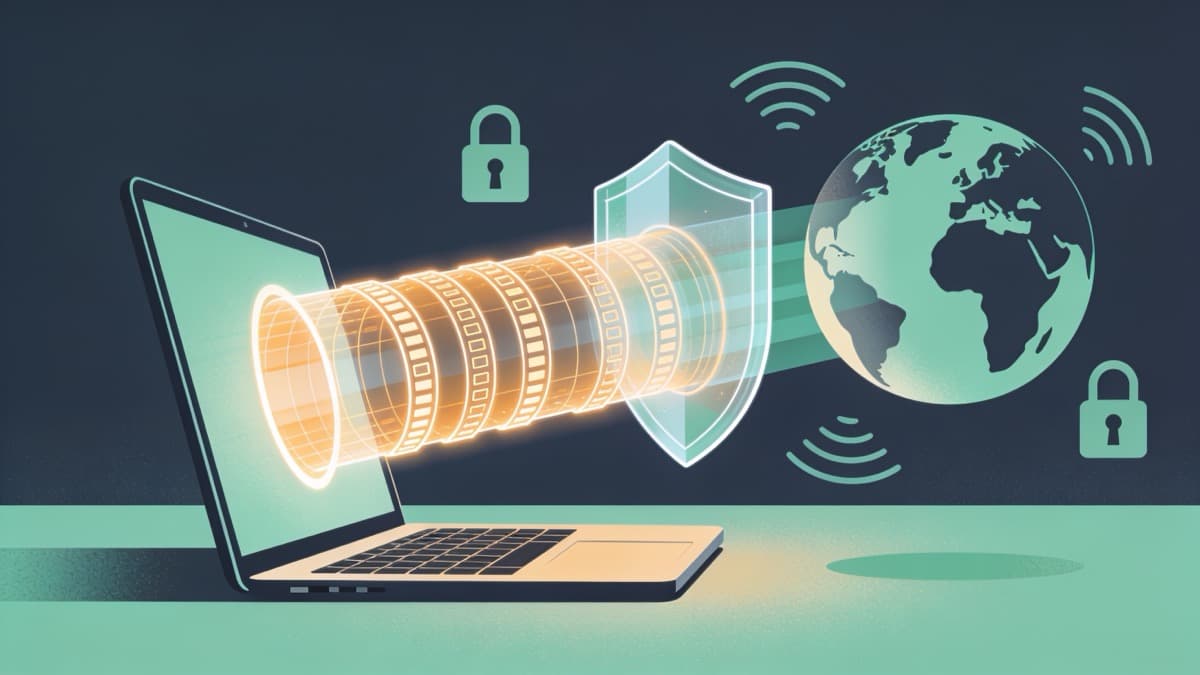
A VPN (virtual private network) is a service that routes your internet traffic through an encrypted tunnel to a server it controls, so the websites you visit see the server's IP address instead of yours, and your internet provider sees only scrambled data instead of what you're actually doing online.
The basic idea, without the jargon
Normally your device talks to websites directly, and everyone in the middle — your internet provider, the Wi-Fi owner, the network you're on — can see where that traffic is going. A VPN inserts a private, encrypted middleman so that visibility mostly disappears. It is a redirect and a lockbox at the same time.
Think of sending a postcard versus sending a sealed, forwarded letter. A postcard shows the address and the message to every hand it passes through. A VPN puts your message in a sealed envelope, hands it to a trusted forwarding office, and that office sends it on under its own return address. Anyone watching the mail route sees the office, not you, and cannot read what's inside.
Two things happen at once here, and it helps to keep them separate in your head. First, your traffic is encrypted so it can't be read in transit. Second, your traffic is rerouted so it appears to come from somewhere else. Almost everything a VPN is good for — and everything it can't do — flows from those two mechanics. Keep that pair in mind and the rest of this guide will click into place.
It's also worth clearing up what a VPN is not. It isn't a browser, an antivirus, or a magic anonymity button. It's a piece of plumbing that sits between your device and the wider internet, quietly changing who can see your traffic and where that traffic appears to come from. Most of the marketing you'll encounter is just an elaborate way of describing those two simple effects.
How the encrypted tunnel works
The "tunnel" isn't a physical cable; it's a logical, encrypted pathway built over your ordinary internet connection. When you connect, your device and the VPN server run a cryptographic handshake, agree on secret keys, and then wrap every data packet inside a new encrypted outer packet addressed to the server. To anyone in between, it just looks like noise.
Under the hood, a modern VPN connection goes through three broad stages. Each stage exists to solve a different problem — proving identity, hiding content, and making sure nobody tampered with the data along the way. You never see any of this happen; it all completes in a fraction of a second when you tap "connect."
- 1The handshake: your device and the server exchange keys using asymmetric cryptography (algorithms like RSA or Diffie-Hellman) so they can establish a shared secret over an untrusted network without anyone eavesdropping.
- 2The encryption: your actual data is scrambled into unreadable ciphertext using a fast symmetric cipher — usually AES-256 or ChaCha20 — which is what makes your traffic look like static to outsiders.
- 3The integrity check: hashing (such as HMAC, or authenticated encryption built into the cipher) confirms each packet arrived exactly as it was sent and wasn't secretly altered en route.
The reason two different kinds of cryptography appear here is a practical one. Asymmetric algorithms are excellent at letting two strangers agree on a secret over an open line, but they're slow. Symmetric ciphers are extremely fast but need both sides to already share a key. So the handshake uses the slow method once to set up a shared key, then everything after that rides on the fast method. It's the best of both worlds.
The cipher most reputable providers rely on is AES-256, widely regarded as the strongest mainstream encryption standard in use today. With 2^256 possible keys, brute-forcing it is not a realistic threat with current computing — even the most powerful hardware would need timescales far longer than the age of the universe to try every combination. In practice, attackers don't break the cipher at all; they go after weak passwords, compromised devices, or sloppy key handling instead. That's why how a provider is built matters more than the number of bits it advertises.
A quick note on protocols, since you'll see the names everywhere. The two modern ones worth knowing are WireGuard and OpenVPN. WireGuard is newer, leaner, and generally faster, and it pairs with the ChaCha20 cipher; OpenVPN is older, battle-tested, and highly configurable, and it typically uses AES-256. For a beginner, either is a safe choice — what matters is that your provider offers one of them rather than an outdated protocol like PPTP, which is considered broken and should be avoided.
How a VPN hides your IP address
Your IP address is the return address every website you visit needs in order to send data back to you. It roughly reveals your location and ties activity to your connection. When a VPN reroutes your traffic, the destination site sees the VPN server's IP instead — so your real address, and the location it implies, stays out of view.
This is the mechanic behind the two most common everyday uses: appearing to browse from a different city or country, and stopping websites from logging your true IP. It's worth being precise about who sees what, because this is where a lot of beginner confusion lives, and being clear about it makes the strengths and limits of a VPN much easier to reason about.
- The website you visit sees the VPN server's IP and location — not yours.
- Your internet provider can see that you're connected to a VPN server, but not which sites you visit or what you send, because that traffic is encrypted.
- The VPN provider itself can technically see your real IP and the fact that you're connecting — which is exactly why the provider's no-logs policy and reputation matter so much.
That last point is the honest catch: a VPN doesn't make your traffic vanish, it moves your trust from your internet provider to your VPN provider. Choosing one with independently audited no-logs practices is the whole game. Hiding an IP is also not the same as being fully anonymous — you can still be identified in other ways, which is the theme of the next two sections. For a deeper look at the privacy side specifically, our VPN privacy overview unpacks what a no-logs claim really means.
What a VPN actually protects you from
A VPN is genuinely useful for a specific set of problems, and it's best understood as a network-privacy tool rather than an all-purpose security suite. Its strengths cluster around one theme: preventing people on the network path between you and the internet from seeing or tampering with your traffic. Everything on the list below is a variation of that single idea.
- Snooping on public Wi-Fi: on an untrusted café, hotel, or airport network, encryption stops others on that network from intercepting your traffic.
- ISP tracking and throttling: your provider can't build a profile of the sites you visit, and can't selectively slow specific services it can no longer identify.
- IP-based tracking and location exposure: sites and ad networks can't log your real IP or infer your location from it.
- Geographic restrictions: connecting through a server elsewhere lets you access content or services tied to another region.
That geographic angle is why VPNs are so popular with travelers and sports fans trying to reach their home streaming services from abroad — you'll find it explained in plain terms on our can I watch checker and across our streaming VPN guides. If you specifically want to keep up with a home broadcaster's catalogue while away, the same mechanic is what makes a Netflix-friendly VPN work the way it does.
What a VPN does NOT protect against
This is the section most beginner guides skip, and it's the most important one. A VPN secures the path your traffic takes; it does nothing about what happens on your device or once you've logged into an account. Overestimating a VPN is how people get a false sense of safety, so it's worth reading this list as carefully as the one above.
- Malware and viruses: a VPN doesn't scan files or block downloads. If your device is already infected, the VPN will happily tunnel that malicious traffic too. You still need antivirus and good habits.
- Phishing: phishing targets you, not your network. A convincing fake login page works identically whether or not a VPN is on.
- Cookies and browser fingerprinting: a VPN changes your IP, but your browser fingerprint — screen size, fonts, timezone, GPU quirks — stays the same, and tracking cookies still work. A WebRTC leak can even expose your real IP if the VPN app doesn't block it.
- Logged-in activity: if you're signed into an account, everything you do there is still tied to you. A VPN can't undo that.
- Weak or malicious websites: a VPN doesn't fix vulnerabilities on the sites you visit or stop you from handing over data yourself.
The fingerprinting point deserves a little more attention because it surprises people. Even with a fresh IP, your browser quietly broadcasts dozens of small details — the exact version you run, your screen dimensions, installed fonts, timezone, and graphics quirks — that together form a near-unique signature. Ad networks and data brokers increasingly rely on this instead of cookies, and a VPN does nothing to change it. Real resistance to tracking takes extra tools and habits on top of a VPN, not the VPN alone.
One more subtlety worth knowing: modern websites already use HTTPS, which encrypts the content of your connection to that specific site. A VPN adds a broader layer that covers all your traffic and hides which sites you're contacting — but it's a complement to good security hygiene, not a replacement for it. It's also worth confirming your app doesn't leak; our DNS leak explainer covers a common failure mode where your provider can still see the sites you visit even with the VPN on.
Want a beginner-friendly VPN that handles the encryption and leak protection for you out of the box? ExpressVPN is a solid starting point.
See our top-ranked VPNs →Common reasons people actually use a VPN
Theory aside, most people install a VPN for a handful of concrete, everyday reasons. Knowing which of these applies to you is the fastest way to decide whether you even need one — and which features to prioritize when you're choosing. Very few people need every feature; most just need the one or two that match their situation.
- 1Securing connections on public or shared Wi-Fi while traveling or working remotely.
- 2Keeping their internet provider from logging and profiling their browsing.
- 3Reaching home streaming services, sports, or news while abroad.
- 4Reducing IP-based tracking and hiding their approximate location from websites.
- 5Getting a more consistent connection when an ISP throttles specific services.
Live sport is one of the biggest single drivers — fans routinely use a VPN to reach a broadcaster back home. If that's your use case, our sports VPN hub and the World Cup 2026 guide walk through it step by step. There are also free tiers worth understanding before you spend anything, which we cover in our free VPN guide — useful for learning the ropes even if you later upgrade.
How to choose a VPN as a beginner
Once you know why you want one, choosing gets much simpler. Ignore the marketing superlatives and weigh a short list of things that genuinely matter. For most beginners, trustworthiness and ease of use beat squeezing out the last few megabits of speed, and a clean app you'll actually keep switched on beats a feature list you'll never touch.
- An independently audited no-logs policy: since you're shifting trust to the provider, this is the single most important factor.
- Strong, modern encryption and protocols: AES-256 or ChaCha20, with WireGuard or OpenVPN — table stakes for any serious provider.
- Leak protection and a kill switch: so your real IP isn't exposed if the connection drops.
- Server locations that match your needs: especially if you're accessing content from a specific country.
- Speed and device support: a network that stays fast, with apps for your phone, laptop, and — if you want whole-home coverage — your router or TV.
You can sanity-check the last two yourself: compare real-world performance on our VPN speed test, and see what fair pricing looks like on the VPN price index so you don't overpay. If you plan to cover a whole household rather than a single device, our router VPN guide is the place to start.
When you're ready to pick a specific provider, our fully ranked, regularly updated shortlist lives on the best VPN guide — that's the commercial companion to this explainer, with tested picks for each use case rather than the how-it-works theory you've read here.
Frequently asked questions
Is a VPN legal to use?
In most countries, including the US, UK, Canada, and across the EU, using a VPN is completely legal. A handful of countries such as North Korea, Belarus, Oman and Iraq ban them, and others like China, Russia and Iran allow only government-approved ones. Using a VPN legally doesn't make otherwise-illegal activity legal, and it may go against the terms of service of some streaming platforms even where the VPN itself is permitted.
Does a VPN slow down my internet?
Usually a little, because your traffic takes a longer path and has to be encrypted and decrypted. With a quality provider and a nearby server, the drop is often small enough that you won't notice it for browsing or streaming. Choosing a modern protocol like WireGuard and a close server keeps speeds high; our speed test shows realistic numbers.
Can my internet provider still see what I'm doing with a VPN?
No. Your provider can see that you're connected to a VPN server and how much data you're moving, but not which websites you visit or what you send, because that traffic is encrypted inside the tunnel. Your trust shifts from your provider to your VPN provider, which is why an audited no-logs policy matters so much.
Does a VPN make me anonymous online?
Not fully. A VPN hides your IP address and encrypts your traffic, but you can still be identified through logins, cookies, and browser fingerprinting. It's a strong privacy tool, not an invisibility cloak. Real anonymity requires more layers and careful habits, so treat a VPN as one important piece of privacy rather than the whole solution.
Do I still need antivirus if I use a VPN?
Yes. A VPN and antivirus solve different problems. A VPN secures your network traffic, while antivirus scans your device for malware and blocks malicious files. A VPN won't stop you downloading a virus or clicking a phishing link, so the two tools complement each other rather than replace one another.
Free or paid VPN — which should a beginner pick?
Reputable free tiers exist and are fine for light, occasional use, but they typically cap data, limit server locations, and are slower. Paid VPNs offer better speeds, more locations, and stronger privacy commitments. Start with a trustworthy free option to learn the ropes if you like, then upgrade once you know what you need.
What's the difference between a VPN and a proxy?
Both reroute your traffic through another server to change your apparent location, but a proxy usually handles just one app or browser and often doesn't encrypt anything. A VPN encrypts all your device's traffic and applies system-wide. For privacy and public-Wi-Fi safety, a VPN is the stronger, more complete tool of the two.
The best VPNs of 2026, ranked
Now you know how — here are the VPNs we recommend, independently tested and ranked for speed, streaming, privacy and value. Any of them works for everything in this guide.

ExpressVPN Ultra fast & secure. Great for privacy, downloads, and everyday browsing on all your devices. 24/7 live chat support.
ExpressVPN Ultra fast & secure. Great for privacy, downloads, and everyday browsing on all your devices. 24/7 live chat support.

IPVanish Fast speeds with unlimited device connections. Strong no-logs privacy and 24/7 live chat support. Great for families.

IPVanish Fast speeds with unlimited device connections. Strong no-logs privacy and 24/7 live chat support. Great for families.

NordVPN Excellent speeds with one of the largest server networks. Strong security features and easy-to-use apps. 24/7 live chat support.
NordVPN Excellent speeds with one of the largest server networks. Strong security features and easy-to-use apps. 24/7 live chat support.

Proton VPN Swiss-based VPN with strong privacy focus. Audited no-logs policy and open-source apps. Great for privacy-conscious users.
Proton VPN Swiss-based VPN with strong privacy focus. Audited no-logs policy and open-source apps. Great for privacy-conscious users.

CyberGhost Fast speeds and strong privacy tools. Simple apps, automatic WiFi protection, and 24/7 live chat support.
CyberGhost Fast speeds and strong privacy tools. Simple apps, automatic WiFi protection, and 24/7 live chat support.

TotalVPN Affordable VPN with strong privacy and reliable speeds. Easy-to-use apps for all major devices. No-logs policy.
TotalVPN Affordable VPN with strong privacy and reliable speeds. Easy-to-use apps for all major devices. No-logs policy.

Private Internet Access High-speed VPN with a large server network and advanced security settings. Ad blocker included and 24/7 live chat support.
Private Internet Access High-speed VPN with a large server network and advanced security settings. Ad blocker included and 24/7 live chat support.

Surfshark Unlimited device connections at a budget-friendly price. Includes ad blocker and strong privacy tools. Great value for money.
Surfshark Unlimited device connections at a budget-friendly price. Includes ad blocker and strong privacy tools. Great value for money.
Rankings are based on our independent testing methodology. Each guide applies the criteria described on that page, including relevant performance, privacy, product features, and value data. We may earn affiliate commissions from links on this page, which helps fund our testing — this does not influence our rankings.